TLDR; A cloud property management system (PMS) runs on the PMS vendor’s servers and works from any browser, while an on-premise PMS runs on a server physically located at the hotel and ties staff to desks and specific machines. For most independent and mid-sized hotels in 2026, the cloud version costs less to own over time, patches itself against new security threats automatically, and lets staff manage the property from a phone instead of a fixed terminal. On-premise PMS still have a narrow case for very large, IT-heavy portfolios with strict on-site data requirements, but that case keeps shrinking every year.
Looking to replace your hotel property management system (PMS)? Hotel technology has been moving toward the cloud for two decades and, in 2026, cloud PMS are the default architecture new deployments choose. If you’re still on the fence, this blog breaks the decision down across the four categories: cost, security, staff workflow, and migration risk.
What Is the Real Cost Difference Between Cloud and On-Premise PMS?
On-premise PMS licensing runs into real money before a hotel spends a dollar on hardware.
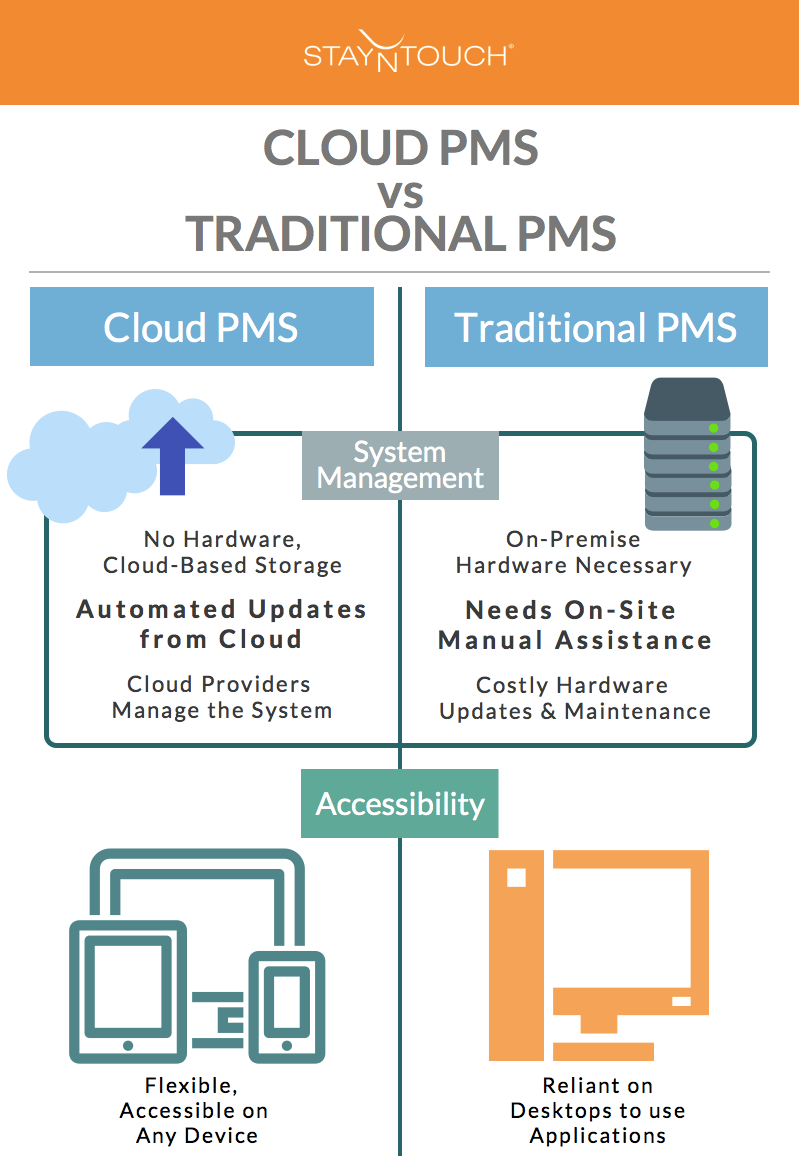
A Cloud PMS instead runs on a monthly subscription. The other benefit of Cloud PMS pricing is hotels aren’t required to purchase hardware or a server, so the budget goes solely to the monthly SaaS fees.
In contrast, an on-premises PMS’s local server needs a room to sit in, a cooling system, a hardware refresh every four to five years, and either an in-house IT hire or a paid support contract to keep it patched. Cloud PMS providers fold all of that into the subscription, which converts a large, lumpy capital expense into a predictable monthly vendor fee the finance team can easily plan around instead of a recurring cost spike.
Total cost of ownership is also where budgets break unexpectedly on either model, since implementation, training, integrations, and payment processing rarely show up on the number a vendor leads with.
Example: Stayntouch Academy trains front desk staff on the basics in about two hours and the full platform across every module in two days, and rolls out a multi-property portfolio in 30 to 45 days, which keeps the hidden cost of a slow, expensive implementation out of the total.
Is a Cloud PMS More Secure Than an On-Premise System?
The practical question for a hotelier evaluating either option is not “is the cloud secure,” (which is a question the market settled years ago) but “who is responsible for patching this system next month, and what happens if they don’t?”
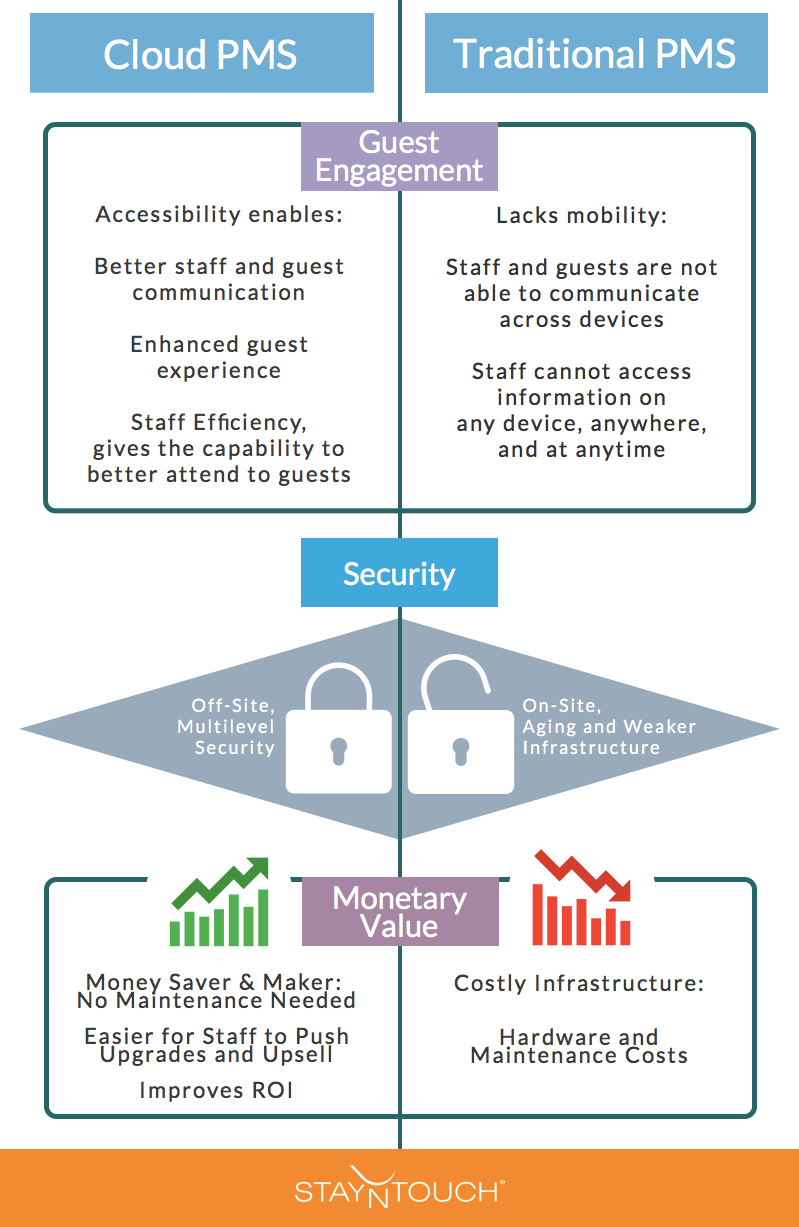
Cloud PMS are generally more secure than on-premise in 2026, mainly because the vendor patches vulnerabilities continuously instead of leaving that responsibility to whatever IT support the hotel has on hand.
Hospitality overall is a heavily targeted sector right now. VikingCloud’s 2025 State of Hospitality Cyber Report found that 82% of North American hotels were hit by a successful cyberattack during summer 2024.
An on-premise property management system does not become insecure the day it is installed. It becomes a liability once it stops receiving regular updates. A server, database, or integration point that no one is actively patching is the kind of security gap hackers look for.
A cloud PMS shifts that patching responsibility to the vendor. The provider handles PCI compliance, encrypted data transfer, redundant backups, and continuous monitoring as a core part of the platform, rather than as a project the hotel has to staff and fund on its own.
Security: In the early days there was a little bit of fear mongering regarding the security of the cloud and despite its wide scale adoption (more than 90% of enterprises and 52% of all SME use cloud services in the US) many still have mixed feelings about cloud security. According to Brian David Johnson, futurist at Intel, our reluctance to fully accept the cloud is due to our perception of new technologies and our tendency to fear what we do not understand.
However, Cloud is known for it reliability, data security, processing speed and PCI compliance; it runs on secure servers with multiple failovers to give uninterrupted service, all your data is mirrored and backed-up continuously so there is no risk of losing important data or files in case of any damage to the system and data transfers use the same encrypted protocol that is used by banks! Compared to on premise backup, storage and computing systems which has legacy security that is unreliable and difficult to implement!
Also Cloud Service Providers (CSPs) are specialized in keeping data safe – that’s their job! So by switching your legacy PMS to Cloud PMS, not only do you get access to the best data centers but also to highly skilled IT professionals looking after you. “Legacy systems are more difficult to keep updated because enterprises may have to go around to several hundred thousand platforms to check and update security systems. It’s easier for legacy systems to fall behind.” — David Linthicum, Senior Vice President, Cloud Technology Partners
It’s official; cloud is more secure than an on premise backup, storage and computing system.
How Does a Cloud PMS Change Day-to-Day Staff Workflows?
An on-premise PMS keeps staff tied to a desktop or fixed terminal, since guest information and system functions only exist on machines the hotel PMS server is wired to.
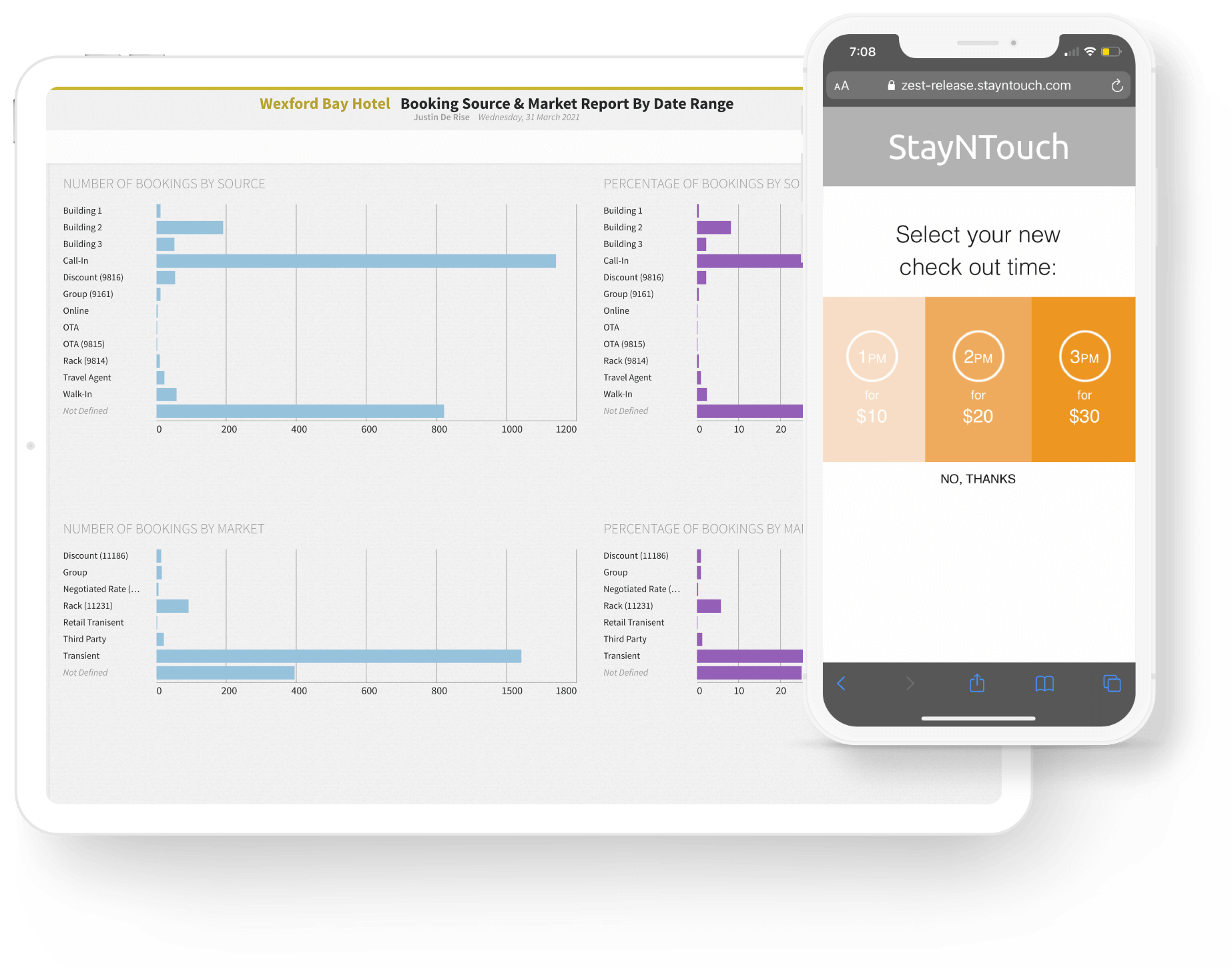
A cloud PMS runs on any device with a browser; a front desk employee can check a guest in from a tablet in the lobby, while a manager can review pickup and occupancy from a phone without walking back to the office.
That mobility demonstrates the customer experience gap between a cloud-based PMS hotel and a legacy PMS hotel. Staff who are not limited to staying at the front desk can move toward guests and cover the lobby, the bar, and the door simultaneously. This is even more relevant now than in the 2010s, as a 2025 workforce survey found the front desk is the second most common staffing shortage area in hospitality (mentioned 26% of the time by surveyed hoteliers) after housekeeping (mentioned 38% of the time).
Staff mobility also opens a revenue channel that a fixed front desk can’t reach. When a hotel employee can walk a tablet to a guest instead of waiting for that guest to approach a counter, the upsell conversation happens in the moment it’s most persuasive: at arrival, on the guest’s terms, without a line forming behind them. Mobile and kiosk-based upsells built into a cloud PMS work the same way without staff involved, surfacing personalized upgrade offers the moment a guest checks in. According to Stayntouch customer data, automated mobile upsells have driven ROI increases of up to 240% at individual properties.
Plus, a cloud interface built for a touchscreen is much more intuitive to train a new hire on compared to a legacy system with years of accumulated menus and keyboard shortcuts. This saves valuable onboarding time in an industry with constant front desk turnover and staff shortages.
Cloud PMS platforms can also automate the manual work that used to require significant employee labor: night audits, deposit collection, room-status updates, and more. With a cloud PMS, a lean front desk team can run a full-service operation with more mobility and less manpower than ever before.
Learn 7 ways to automate your hotel operations with a cloud PMS or watch our recent demo about leveraging automations.
Which Hotel PMS Reduces IT Overhead Through Cloud Functionality?
Any cloud-native PMS reduces IT overhead by design, since the vendor owns uptime, security patching, and server maintenance instead of the hotel. The difference between platforms comes down to how much of that reduction is real versus how much still requires a hotel-side IT resource to manage integrations, custom configurations, or multiple vendor relationships.
A cloud PMS with a large, no-fee integration library removes one of the more common hidden hotel IT costs: integration fees or developer support. Most cloud PMS with integration abilities require paying a developer or a vendor every time the hotel wants to integrate tools such as a channel manager, payment processor, or guest messaging tool. Stayntouch, for instance, includes more than 1,400 integrations at no extra charge through its open Connect API.
What’s the Best Way to Switch From a Desktop or On-Premise PMS to the Cloud?
A hotel switching from an on-premise or desktop PMS to the cloud should expect three phases: data migration, integration setup, and staff training, in that order, with a realistic multi-property timeline running 30 to 45 days depending on portfolio size. The biggest risk is a broken connection between PMS and integration software, which could disrupt client experience by failing to compile charges for all parts of their stay.
A well-run hotel PMS migration should include a parallel run period where both systems stay live briefly, a clear data migration plan for guest profiles and reservation history, and hands-on training scheduled close to go-live. Hotels moving off a legacy on-premise system should also ask whether historical PMS data migrates cleanly into the new cloud environment or if it has to be exported and archived separately as a back-up.
Frequently Asked Questions
What are the benefits of cloud-based PMS for limited-service hotels?
Limited-service hotels can save on labor costs with a cloud PMS by automating previously time consuming processes including night audits, mobile check-in, and self-service kiosks. These automations empower a small front desk team to run operations that would otherwise need more headcount. Plus, because a cloud PMS doesn’t need an on-site server or IT experts, a limited-service property also avoids the fixed technology overhead that on-premise PMS requires. Cloud property management systems scale with occupancy instead of forcing a hardware upgrade at a fixed room count.
What’s the difference between cloud-based and on-premise property management software?
On-premise PMS software requires a server physically located at the hotel. The hotel owns the hardware, handles updates manually, and typically pays one large upfront license fee.
Cloud-based PMS software runs on the PMS vendor’s remote servers, updates automatically, and is billed as a recurring subscription.
The practical differences show up in who’s responsible for maintenance, how staff access the system, and how the total cost is structured over time, upfront capital versus predictable operating expense.
Can I switch between cloud and on-premise hotel PMS without losing features or data?
A properly planned migration should not cost a hotel meaningful functionality or historical data, though the specifics depend on the vendor’s migration process. Reservation history, guest profiles, and rate configurations typically transfer during onboarding, and any feature gap should be identified during the sales and demo process, rather than being discovered after go-live. Ask a prospective PMS vendor directly what data migrates automatically, what requires manual export, and how long a side-by-side transition period runs before the old system is retired.
The Bottom Line on Cloud vs On-Premise PMS
On-premise PMS have not disappeared. For a handful of very large, IT-staffed enterprise portfolios with specific on-site data requirements, it can still make sense.
But for independent, boutique, and mid-sized hotels, cloud PMS win out with lower upfront and ongoing cost, security that improves automatically instead of depending on an internal IT team’s bandwidth, and staff who can serve guests from anywhere on property.
Stayntouch PMS has been built around cloud infrastructure since 2012 and continues to hold a 97% customer retention rate as of 2026. Compare more platforms in the 9 Best Cloud-Based Hotel PMS guide for 2026, or schedule a demo to see how a cloud-native PMS handles the switch.