TL;DR: Automated hotel check-in lets guests verify their ID, pay, sign the registration card, and get a room key on their own, through a mobile link or a lobby kiosk. It shortens peak-time lines, gives staff time back for guests, and adds upsell revenue at arrival. Hotels using Stayntouch reduce staff-assisted check-in by 54%. The strongest setups keep a staffed desk as a third option, so every guest still gets a choice.
Every hotel GM knows the afternoon arrival rush. Flights land, rooms turn over late, and a short front desk team spends the next two hours typing names, swiping cards, and encoding keys. Automated hotel check-in moves that routine work off the desk and into the guest’s hands, by phone or at a lobby kiosk. Your staff get time back for the conversations that earn good reviews.
What Is Automated Hotel Check-In?
Automated hotel check-in is an arrival process that guests complete without a staff member handling each step. Guests verify identity, confirm payment, sign registration terms, and receive a room key through a mobile link, a lobby kiosk, or a digital key. The property management system (PMS) records every step in real time, so the reservation, folio, and room status stay current.
You will also hear it called self check-in or contactless check-in. The key difference from basic online check-in is the last step. Online check-in still sends guests to the desk for a key, while automated check-in finishes the arrival without that stop.
How Does Automated Hotel Check-In Work?
Most automated check-in follows four steps: pre-arrival registration, arrival by phone or kiosk, room access, and check-out. Each step replaces a task your front desk would otherwise handle by hand.
Step 1: Pre-Arrival Registration
Before arrival, the hotel sends the guest a secure link. The guest confirms reservation details, reviews policies, and signs the registration card on their phone. With Digital Registration Cards, that information syncs straight to Stayntouch PMS, with no printed forms and no re-keying at the desk. Payment can be collected in the same flow through a one-click payment link from Stayntouch Pay.
Step 2: Arrival by Phone or Kiosk
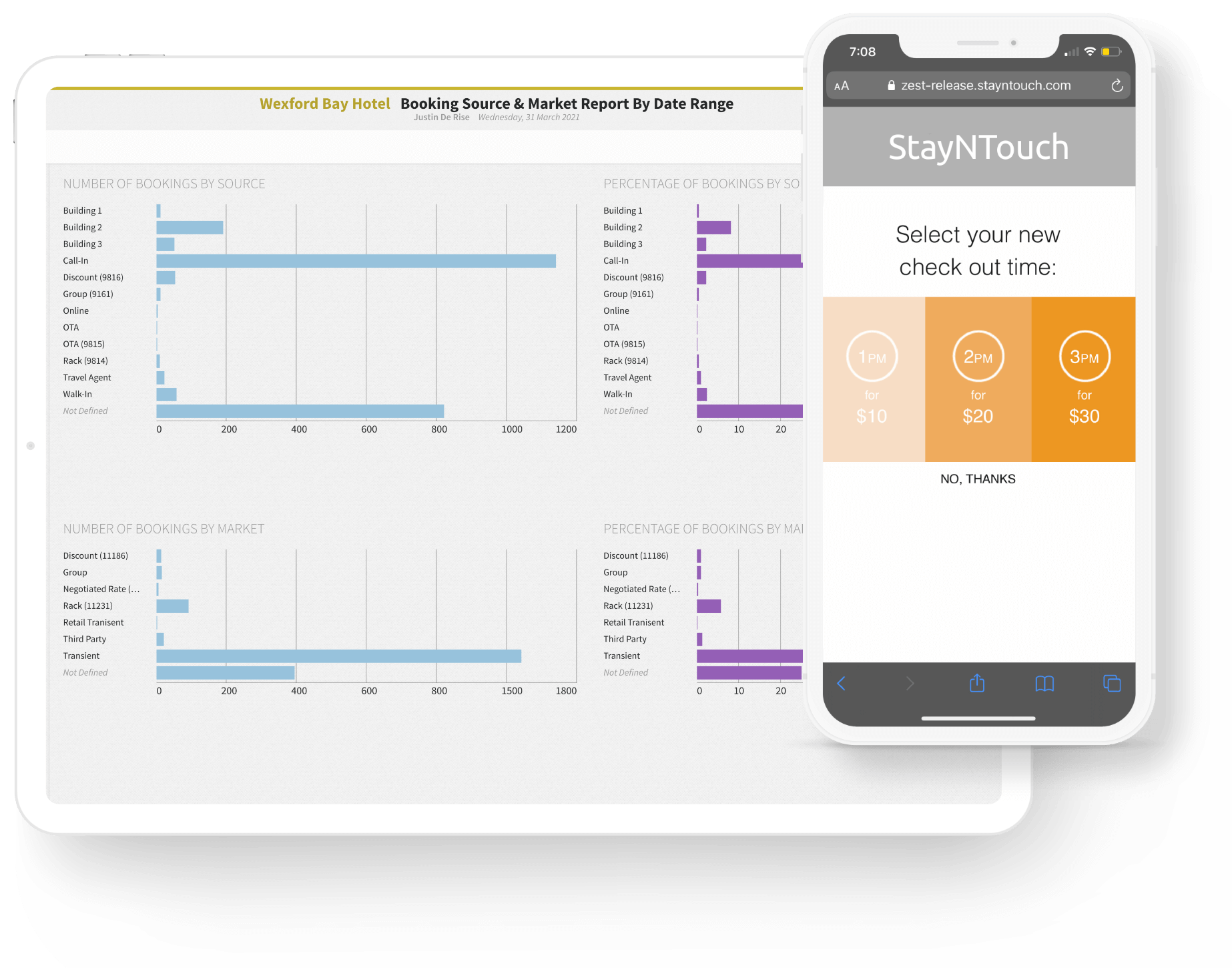
On arrival day, guests choose how to finish. Mobile check-in runs from a link, so there is no app to download. Guests who prefer a screen in the lobby can use Stayntouch Kiosk, which runs on a tablet with an integrated credit card reader and key encoder. Both paths support automatic and timed room assignment, and the kiosk offers multi-language options.
Step 3: Room Access With a Key Card or Digital Key
At a kiosk, the key encoder issues a physical key card on the spot. On a phone, the hotel’s door lock system can issue a mobile key, so the guest walks straight to the room. Stayntouch connects to leading mobile key and door lock providers, including Salto and dormakaba, through its 1,400+ integrations. Some properties also use PIN codes on smart locks, a common choice for apartment-style units.
Step 4: Automated Check-Out
Departure works the same way in reverse. Guests check out from their phone or the kiosk, review the folio, and receive a copy by email. Late check-out can appear as a paid option inside that flow, so the request never has to reach the desk.
Learn More About Stayntouch Kiosk →
Mobile Check-In vs. Kiosk vs. Front Desk: Which Should You Offer?
Offering all three paths and letting each guest choose covers the widest range of arrivals. Mobile check-in suits guests who want to skip the lobby entirely. The kiosk serves walk-ins and guests who never opened the pre-arrival link, while the staffed desk handles groups, VIPs, and anyone who wants a conversation.
| Path | Best For | What the Guest Does | What Staff Do |
|---|---|---|---|
| Mobile check-in | Guests who want to skip the lobby, late-night arrivals | Registers, pays, and checks in from a link, then uses a mobile key or collects a key card | Monitor arrivals and handle exceptions |
| Lobby kiosk | Walk-ins, peak arrival windows, guests without a pre-arrival link | Scans ID, pays, and receives a key card at the screen | Greet guests and help first-time kiosk users |
| Staffed front desk | Groups, VIPs, accessibility needs, guests who prefer a person | Checks in with a team member | Focus on service rather than data entry |
What Are the Benefits of Automated Hotel Check-In?
Automated hotel check-in shortens lines, frees staff for higher-value work, adds revenue at arrival, and keeps guest data accurate. How much of each you see depends on how many guests use the self-service paths and how tightly the system connects to your PMS.
Shorter Lines and Check-In at Any Hour
Self-service paths absorb the arrival peak instead of stacking guests in front of one or two agents. On Stayntouch, guests check in from their phones in under 30 seconds and kiosk check-ins are complete in just 1 minute. Neither a kiosk nor a mobile link depends on shift hours, so a guest landing at 1 a.m. checks in the same way as one arriving at 4 p.m.
Staff Time Back for Guests
Staffing remains the hardest constraint for most hotels. In an AHLA survey of 282 hoteliers published in February 2025, 65% of hotels reported staffing shortages, and front desk roles were the second most cited gap at 26%. A March 2026 AHLA survey found that more than half of respondents still describe their properties as somewhat or severely understaffed.
Automated check-in takes repetitive typing, card swiping, and key encoding off your team’s plate, so they can raise their heads and focus on guests. Hotels using Stayntouch reduce staff-assisted check-in by 54%.
Revenue at the Moment of Arrival
Arrival is a natural moment to offer an upgrade, and a screen can present that offer to every guest without it feeling like a sales pitch. Stayntouch Kiosk and mobile check-in send targeted, automated offers for room upgrades and amenities, along with paid early check-in and late check-out. At Sentral Michigan Avenue, a full-building residential hospitality property, kiosk upsells delivered a 253% ROI on the Kiosk subscription within a year.
Accurate Guest Data in One System
When check-in runs inside the PMS, there is no second system to reconcile. Guest details, signatures, payments, and room assignments land in the same live record your staff sees at the desk. Housekeeping status and the guest folio update in that same record, so no one exports or re-enters data.
Guests Expect a Self-Service Option
In a 2022 Oracle Hospitality and Skift study of 5,266 consumers across nine countries, 73% said they were more likely to stay at a hotel that offers self-service technology to minimize contact with staff and other guests. That research was fielded during the pandemic recovery, so treat it as a signal of demand for choice rather than a current adoption rate.
Does Automated Check-In Remove the Personal Touch?
No, not when self-service is offered as a choice rather than a replacement. The concern is fair: many hoteliers, especially at boutique properties, worry that a screen turns a welcome into a transaction. The answer is to automate the paperwork, not the hospitality.
Staff who are not stuck behind a monitor can greet arrivals in the lobby, share local recommendations, and solve problems face to face. Stayntouch’s front desk tools give team members the mobility to work where guests actually are.
At the Opera House Hotel in the South Bronx, General Manager Emilio Morales Jr. said Stayntouch’s ID scanning functionality “has also helped to create a more streamlined and secure check-in process so our guests have the option to completely bypass the front desk.” The operative word is option. Keep the staffed desk visible, and train the team to step in the moment a guest hesitates at a kiosk.
“The point of automated check-in isn’t to get rid of the front desk. It’s to give guests the option to check in how they want, and give staff more time to actually interact with guests.”
– Priya Rajamani, SVP of Implementations and Support
See How the Opera House Hotel Reimagined Its Welcome →
Is Automated Hotel Check-In Secure?
Yes, when identity checks, payment security, and signed terms are built into the flow. The risks operators raise most often are a guest using someone else’s card and a dispute after checkout. Each one has a control:
- Identity: Stayntouch Kiosk can scan a guest’s ID and add facial recognition as an extra security layer before a key is issued.
- Payments: Stayntouch Pay is PCI DSS Level 1 certified and uses card tokenization, point-to-point encryption, and fraud detection.
- Disputes: Digital Registration Cards collect signed terms and conditions, which helps reduce disputes and chargebacks.
Set a clear policy for self-service arrivals as well. Decide your pre-authorization amount and incidentals hold, and require a valid card on file before any key is issued.
How to Roll Out Automated Hotel Check-In at a 75 to 350 Room Hotel
Start with your arrival data, choose the paths that fit it, confirm integrations, then train your team and measure results. Most of the work is in decisions and setup, not hardware.
1. Map Your Arrival Pattern
Pull several weeks of arrival times from your PMS. Note peak windows, late-night arrivals, walk-ins, and group check-ins. That pattern shows where self-service will absorb the most volume.
2. Choose Your Check-In Paths
Pick the mix of mobile, kiosk, and staffed check-in that matches your arrivals. Frequent late arrivals make a strong case for mobile check-in with a mobile key. A busy lobby with walk-ins makes a strong case for a kiosk.
3. Confirm PMS, Payment, and Lock Integrations
Automated check-in only works if every path writes to the same record as your PMS and can issue a working key. Confirm your door lock system and payment gateway are supported before you buy hardware. In the 2026 Hotel Technology Outlook from the NYU SPS Jonathan Tisch Center, produced with Stayntouch and IDeaS, users of all-in-one systems reported check-in delays at twice the rate of best-in-class system users, 46% versus 23%. For a deeper evaluation by property size, see our guide to hotel check-in software.
4. Set Upsell and Early Check-In Rules
Choose which upgrades, amenities, and early or late check-out options appear, and at what price. Start with a short list of offers you can reliably deliver, then expand based on take rate.
5. Redesign Front Desk Roles
Shift the desk from data entry to hosting. Assign a team member to the lobby during peak windows to welcome guests and help first-time kiosk users. Make sure guests with disabilities have an equal path, whether that is a staffed alternative or a kiosk placed within easy reach.
6. Plan for Exceptions
Decide how staff handle a failed ID scan, a declined card, or a group arrival. Stayntouch Kiosk includes configurable offline reconnect settings, but your team still needs a manual key process if the network or lock system goes down.
7. Measure Results
Set a baseline before launch and track these metrics monthly:
- Share of arrivals by path: mobile, kiosk, and staffed
- Average check-in time and peak-hour lobby wait
- Upsell take rate and ancillary revenue per arrival
- Staff hours spent on check-in tasks
- Guest review mentions of arrival and check-in
Give Your Front Desk Time Back for Guests
Automated hotel check-in works best when it runs inside your PMS rather than beside it. Stayntouch Kiosk, mobile check-in, Digital Registration Cards, and Stayntouch Pay all run on one cloud-native platform with 1,400+ integrations, so every arrival lands in one live record. Your guests get a faster welcome, and your team gets time back for hospitality.
Frequently Asked Questions
What Is Automated Hotel Check-In?
Automated hotel check-in lets guests complete their arrival without waiting for a front desk agent. They verify ID, pay, sign the registration card, and get a room key through a mobile link, a lobby kiosk, or a digital key. The PMS records each step as it happens, and staff stay available for guests who want help.
Do Guests Need an App for Automated Check-In?
Not with Stayntouch. Guests receive a link and check in from their phone, with no app to download. Hotels that also run Stayntouch Kiosk give guests a second self-service option in the lobby.
How Long Does Automated Hotel Check-In Take?
On Stayntouch, mobile check-in takes under 30 seconds, and kiosk check-in with key encoding takes under a minute. Most of the time savings happen before arrival, because registration and payment are already done.
Does Automated Check-In Replace Front Desk Staff?
No. It removes repetitive data entry and key encoding, not the people. Staff move from behind the counter into the lobby, where they welcome guests, resolve issues, and look after groups and VIPs.
Can Boutique Hotels Use Automated Check-In?
Yes. Many boutique hotels start with mobile check-in and Digital Registration Cards, then keep a staffed welcome as their signature experience. Kiosks fit best where arrival volume justifies the hardware, generally properties with 75 or more rooms.
What Happens if a Guest Has Trouble at the Kiosk?
A team member steps in. Keep someone assigned to the lobby during peak windows and keep the staffed desk open as a fallback. Stayntouch Kiosk also includes configurable offline reconnect settings for network interruptions.
How Much Does Automated Hotel Check-In Cost?
Cost depends on room count, which check-in paths you offer, and the hardware at each kiosk, such as a tablet, card reader, and key encoder. Stayntouch offers the kiosk, native payments, and mobile check-in on one cloud PMS with simple, transparent pricing. Get a pricing estimate for your property.