TLDR; A self-service check-in kiosk lets guests check in and out, retrieve a key, and add upgrades on their own, in under a minute, without waiting for the front desk. Properties running self-service check-ins– with Stayntouch’s guest kiosk and secure links sent to guests’ smartphones– were able to cut staff-assisted check-ins at the front desk by 54%. These properties saw returns of up to 2.5x on the kiosk itself.
Self-serve hotel kiosks have moved from novelty to standard front-desk infrastructure. A guest can check in, verify their identity, retrieve a room key, and browse upgrades without staff assistance in under a minute. Here is what a modern kiosk actually delivers, for your guests and your team.
1. No More Lines
The main benefit that comes to mind when first considering a self-serve kiosk is the ability to cut down on queues at the front desk. Even with minimal hotel staff on hand, kiosks make it easy to address the needs of multiple guests at the time. Your guests are sure to appreciate the streamlined check in and out process—especially if they are running late. Guests can check in using their names, confirmation numbers, or by scanning an ID. Not only does this provide a more convenient guest experience, but it also improves operational efficiency for your team.

2. Liberate Your Staff
Self-service kiosks free up your staff from needing to conduct the mundane check-in activities for every guest.
They will then be free to have more meaningful interactions with your guests and address their needs in a personalized way. Face-to-face interactions between your guests and your staff can then involve topics like advice about the local area, service requests, or just friendly conversation. Properties running kiosk, mobile, and staff-assisted check-in together see a 54% reduction in staff-assisted check-ins overall, freeing staff for the interactions that actually shape a guest’s stay and reducing wait times at the front desk by up to 75%.
3. Improved Guest Data Use
When your guests input their own data into your kiosks, they are less likely to make mistakes when it comes to spelling or email formatting.
This data can then automatically be registered within your Property Management System and inform other aspects of the guest experience, such as special requirements and room preferences. Your business benefits through the clearer picture this creates of
your guests. This valuable information can be used to improve facilities as well as inform marketing strategies. In addition, you can collect guest emails and other information that they volunteer for promotional purposes.
Real-World Example: The Opera House Hotel
The south Bronx-based hotel, the Opera House Hotel, chose Stayntouch for its easy-to-train-on and color-coded interface, its mobile and kiosk self-check-in options equipped with secure ID scanning, and its comprehensive customer support.
Emilio Morales Jr., the General Manager at a south Bronx-based hotel, the Opera House Hotel, chose Stayntouch for its “mobile and kiosk-based self-check-in options” allowing the property to completely reimagine their welcome process and provide guests with a fast and personalized digital check-in experience.
“Their ID scanning functionality has also helped to create a more streamlined and secure check-in process so our guests have the option to completely bypass the front desk.”
“More importantly, Stayntouch’s service and support team has made a point of working closely with us through implementation and training to ensure that our entire team is equipped with the knowledge and know-how to successfully leverage the full capabilities of the systems.”
4. Flexibility to Fit Guest Needs
Not every guest wants the same arrival experience. Some want to skip the desk entirely, while others want an in-person welcome. The strongest hotel operations don’t force just one path; they run kiosk, mobile, and staff-assisted check-in from the same system at the same time, so a guest who cannot complete mobile pre-registration can still walk up to a kiosk, and a guest who hits a kiosk issue can find a staff member with a tablet nearby.
You can place kiosks near your front desk, in a casual sitting area, or in any other location where your guests could use a self-serve service.
5. More Revenue-Generating Opportunities
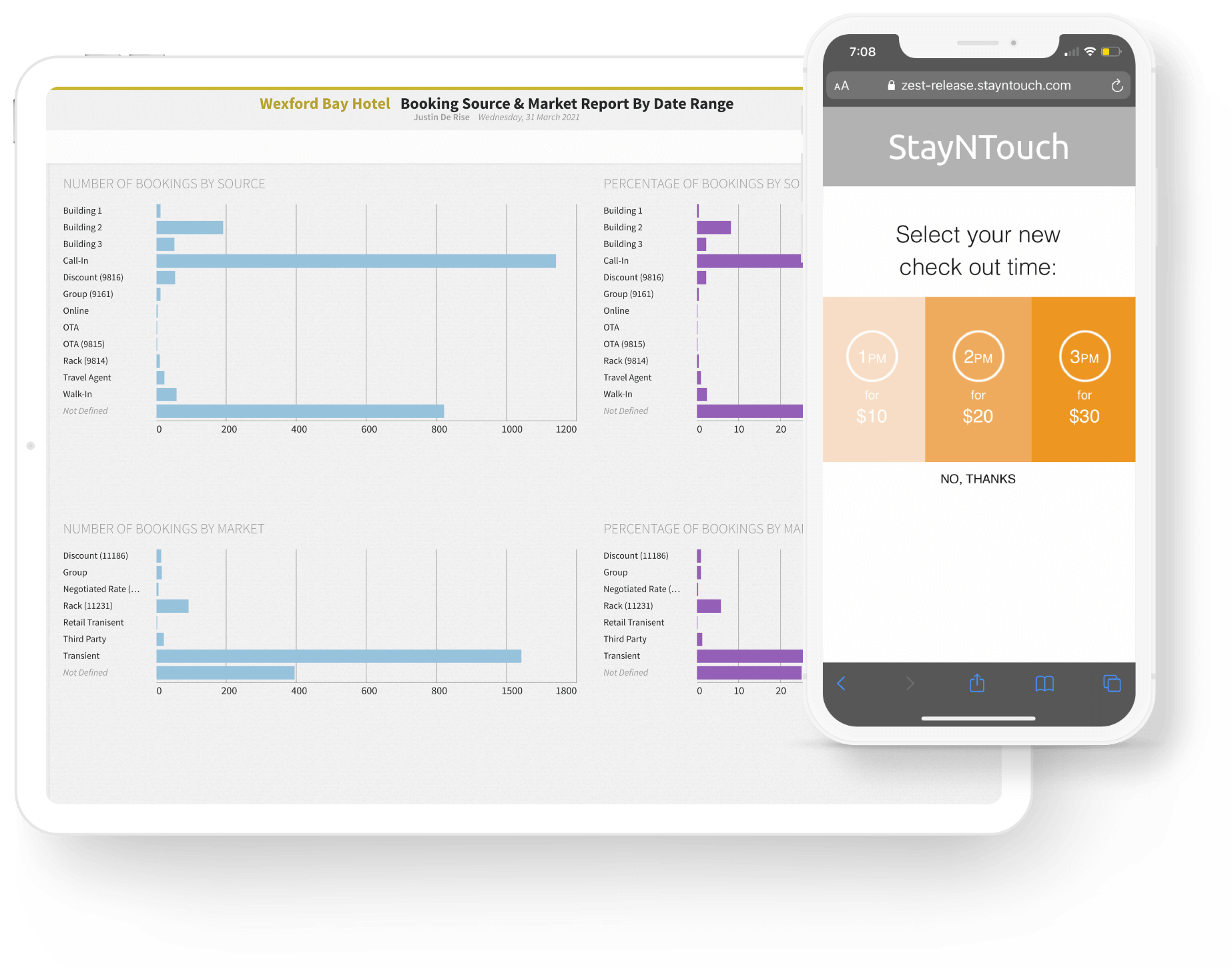
When guests use your self-serve kiosks, they’ll be able to browse room upgrades and add-on amenities at their leisure.
This is an attractive option for guests who would prefer to avoid in-person upselling tactics from your staff. Your kiosks can display a number of upgraded amenity packages which your guests can instantly add to their bill. The best part about using a self-serve kiosk as a revenue source is that there are no additional labor costs.
Learn 15 more ways to increase your hotel’s ancillary revenue in self check-in processes!
6. Provide a Personalized Experience
Once a guest is recognized at the kiosk, the guest’s interactions can provide valuable insights about their preferences, needs, and interest in various add-ons. Properties using this kind of personalization at check-in report guest satisfaction score increases of up to 20 points.
You can use guest data from your Property Management System to inform the experience that you deliver via your kiosks and deliver a kiosk interaction that is unique to them. For example, you could use images from their home country as a way to make them feel welcome.
7. Give Customers a Choice
Even if a guest chooses to talk to your staff rather than use a self-service kiosk, they will still appreciate having the additional options available to them. More than ever, guests like to feel empowered with a range of self-service options. These include features like being able to message the front desk or order room service with an app. Self-service kiosks fit into the greater theme of personalization and on-demand dynamics that drive the modern accommodation industry.
See the Kiosk in Action
Not every self-service kiosk is built the same. Stayntouch Kiosk runs on a tablet fully integrated with your PMS, checks guests in under a minute, and pays for itself through the upgrades and add-ons guests choose for themselves.
See how Stayntouch Kiosk fits your lobby.
How Self-Service Kiosks Improve Hotel Operations
Beyond the guest-facing benefits above, a hotel kiosk system changes daily operations in three concrete ways.
- It shortens the training curve for new front desk hires, since a kiosk-integrated PMS with a simple interface means staff learn the system alongside the kiosk rather than a separate legacy workflow.
- It keeps data accurate at the source, since guest-entered information avoids the transcription errors that come from an agent typing quickly during a rush.
- It frees staff from a fixed workstation, since a kiosk absorbs routine check-ins and a tablet-based PMS lets remaining staff work the floor instead of standing behind a desk.
How Do Digital Kiosks Generate Profit in Hotels?
A hotel kiosk generates revenue mainly through automated upsells: room upgrades, early check-in, late check-out, and add-on amenities that guests select themselves at their own pace, without a staff member pitching them. Because the kiosk presents these offers automatically at check-in, every guest sees them, rather than just the guests checking in at a busy front desk. Hotels using Stayntouch Kiosk have seen returns of up to 2.5x on the kiosk investment through this kind of automated upsell revenue, with no added labor cost.
Frequently Asked Questions
What is a hotel self-service kiosk?
A hotel self-service kiosk is an on-property terminal, typically tablet-based, that lets guests check in, verify identity, retrieve a room key, and pay for upgrades on their own, without going through the front desk.
How fast is kiosk check-in?
Kiosk check-in typically completes in under a minute, including ID verification, payment, and key issuance.
Do kiosks replace front desk staff?
No. A kiosk absorbs routine, repeatable check-in tasks so staff can spend more time on service moments that require a person, not a screen. Properties running kiosks alongside mobile and staffed check-in reduce staff-assisted check-ins by 54% without cutting headcount.
Are self check-in kiosks right for every hotel?
Kiosks fit best where arrival volume is high enough to justify the hardware, generally properties in the 75-plus room range. The strongest results come from pairing a kiosk with mobile and staffed check-in rather than replacing the front desk outright.
What can guests do at a kiosk besides check in?
Beyond check-in and check-out, guests can pick up a room key, browse and purchase upgrades or add-on amenities, and select monetized early check-in or late check-out, all from the same screen.
Is a hotel kiosk available 24 hours a day?
Yes. A kiosk is not tied to staff shift hours, so it can handle a check-in the moment a guest arrives, whether that is 2 p.m. or 2 a.m. This is one of the practical arguments for pairing a kiosk with mobile check-in specifically at properties with unpredictable or late-night arrivals, since neither path depends on someone being behind the desk.
What hardware does Stayntouch’s check-in kiosk need?
Stayntouch Kiosk runs on an iPad, with the 12.9-inch iPad Pro at 128GB recommended, since the larger screen suits guest typing and interaction better. Properties are responsible for ordering the iPad and any protective case or stand. If the kiosk includes a payment terminal and a key encoder, both need their own power and network connections at the kiosk location. A printer is only needed if the property wants printed receipts, and should be AirPrint enabled.
Is contactless check-in available through a hotel kiosk?
Yes. A kiosk supports a fully contactless arrival when paired with digital payment and a digital key, so a guest never has to sign a paper form or wait for a physical key card to be encoded.
What is the best kiosk software for hotel check-in?
The best hotel check-in kiosk software runs on the same platform as your PMS, rather than as a bolted-on third-party tool that needs its own sync process. Stayntouch Kiosk is built this way: it is fully integrated with the Stayntouch PMS, so a check-in at the kiosk updates room assignment, folio, and housekeeping status are all in the same live system a staff member would see at the front desk.
What are the best hotel payment platforms to pair with a self-service kiosk?
A kiosk works best with a payment platform that is natively integrated with the PMS rather than a separate gateway the kiosk has to call out to. Stayntouch Pay is native to our PMS and handles processing, acquisition, and settlement directly. It consolidates fees into one transparent monthly statement and settles funds two business days after the transaction, so a kiosk payment does not create a separate reconciliation step for your finance team.
What are live agent kiosks, and does Stayntouch offer one?
A live agent kiosk connects a guest to a remote human staff member over video, rather than an on-site person or a fully automated flow. It is a different category from a standard self-service check-in kiosk.
Stayntouch’s guest messaging module connects guests to a hotel-specific AI-agent over SMS, WhatsApp, and web chat, with on-demand access to a real human staff member when needed.