
Written by: Kelly Campbell, Vice President of Marketing, Stayntouch
Key Takeaways for Direct Booking Growth
-
OTA commissions of 15–25% erode margins for independent hotels as labor costs climb and OTA share of bookings reaches 63.4%.
-
51% of hotel operators plan to replace or upgrade their technology stack within the next 12–24 months, which favors PMS-driven automation over manual tactics.
-
Embedding a commission-free booking engine, synchronizing all channels, and automating rate adjustments can reduce OTA dependence immediately without adding staff.
-
Features such as mobile check-in, digital registration, pre-arrival upsells, and post-stay win-back sequences convert OTA guests into direct, loyal customers and capture incremental revenue.
-
Stayntouch delivers the cloud-native PMS and 1,400+ integrations needed to execute all 12 strategies automatically, so you can start your 30-day implementation plan with a clear roadmap.
12 Proven Strategies to Increase Direct Bookings
Activate a Commission-Free Booking Engine on Your Site
Every reservation captured on your own website carries no commission cost. Direct bookings often generate a higher ADR than OTA bookings, and guests tend to stay longer. Stayntouch Booking embeds directly into your existing website with no rebuild required, and two-way live sync to the PMS keeps rates, availability, and restrictions current.
The table below outlines the four core configuration steps to launch your booking engine quickly.
|
Configuration Step |
Stayntouch Setting |
|---|---|
|
Embed booking widget |
Insert booking link or calendar widget via plug-and-play code snippet |
|
Enable promotional codes |
Configure access codes for member or corporate rates in Booking Engine settings |
|
Activate upsell packages |
Attach add-on packages (breakfast, parking) to rate plans in PMS rate configuration |
|
Enable mobile optimization |
Enabled by default, then verify Google Tag Manager and GA4 event coverage in integration settings |
Synchronize All Channels to Eliminate Double Bookings
Manual channel updates create most double bookings and rate inconsistencies. Stayntouch Channel Manager connects to 400+ distribution channels, including Booking.com, Expedia, Agoda, Airbnb, and Priceline, with independent sync control for rates, inventory, and restrictions.
Use the following configuration steps to keep every channel aligned with your PMS in real time.
|
Configuration Step |
Stayntouch Setting |
|---|---|
|
Connect OTA channels |
Activate channels via SiteMinder library in Channel Manager dashboard |
|
Set sell limits |
Configure sell limits by room type and date to prevent overselling |
|
Apply stay restrictions |
Set Closed to Arrival, minimum length of stay, and Closed to Departure rules per date |
|
Push rate changes selectively |
Use independent message-type sync to push rates without republishing inventory |
Automate Rule-Based Rate Adjustments for Higher RevPAR
Independent hotels that implement dynamic pricing can achieve higher RevPAR within the first six months. To capture that improvement without adding a separate revenue management contract, Stayntouch Rate Strategy automates rate adjustments on configurable parameters such as occupancy thresholds, day-of-week patterns, and demand signals. It trains in 20 minutes and activates instantly, which makes it practical for properties that need rule-based automation rather than full market forecasting.

For hotels whose pricing strategy requires demand forecasting and competitor rate shopping, Stayntouch integrates with IDeaS, Duetto, FLYR, Lighthouse, and PriceLabs, so the choice stays with the hotel.
The configuration steps below show how to set up Rate Strategy for daily use.
|
Configuration Step |
Stayntouch Setting |
|---|---|
|
Set rate floors and ceilings |
Define minimum and maximum BAR (best available rate) by room type in Rate Strategy |
|
Configure occupancy thresholds |
Set multiple trigger points within a single strategy, such as 60%, 80%, and 90% occupancy |
|
Apply day-of-week modifiers |
Configure weekend versus weekday rate differentials in rate plan hierarchy |
|
Enable remote rate management |
Access Rate Strategy from any device via cloud PMS, with no workstation required |
Deploy Mobile and Kiosk Check-In to Capture Upsell Revenue
Guests who check in via kiosk are roughly three times more likely to accept an upsell than guests who check in at the front desk. Stayntouch offers three-way check-in: fully mobile in 30 seconds, hybrid pre-check-in, or staff-assisted anywhere on property via tablet. According to Stayntouch customer data, this approach reduces staff-assisted check-in by 54%. Upsell offers for room upgrades, early check-in, late checkout, and amenities run inside the check-in flow at the moment of highest intent.
The table below outlines the key settings that turn check-in into a revenue channel.
|
Configuration Step |
Stayntouch Setting |
|---|---|
|
Enable mobile check-in |
Activate guest mobility in PMS settings, then configure pre-arrival SMS/email trigger |
|
Configure kiosk upsells |
Set upgrade offers, early check-in pricing, and amenity packages in Kiosk workflow |
|
Integrate digital keys |
Connect door lock system (ASSA ABLOY, Salto, dormakaba, VingCard) via the integration library, noting each third-party platform carries its own fee |
|
Set monetized late checkout |
Configure late checkout pricing and availability rules in PMS rate settings |
Convert OTA Bookers into Direct Guests via Digital Registration
OTA bookers arrive as strangers, but Digital Registration Cards turn them into known guests. These cards capture verified guest data, including signed terms and conditions, and create a direct relationship the hotel owns. Captured information converts OTA bookers into contactable profiles for future direct marketing. Signed terms also reduce chargebacks, where a guest contests a charge with their card issuer after departure.
Use the following configuration steps to make every OTA arrival a future direct guest.
|
Configuration Step |
Stayntouch Setting |
|---|---|
|
Enable Digital Registration Cards |
Activate in guest mobility settings, then configure pre-arrival send timing |
|
Capture additional guest data |
Set required fields for additional adults and children in registration template |
|
Sync to guest profile |
Allow profiles to auto-create and sync to PMS and connected CRM (Revinate, Salesforce, Cendyn) |
|
Configure terms and conditions |
Upload property-specific T&Cs for digital signature capture |
Run Automated Pre-Arrival Upsell Campaigns
Independent hotels using pre-arrival upsell flows typically achieve 6–12% conversion rates. A 60-room property at 70% occupancy can generate meaningful ancillary revenue from pre-arrival offers. Stayntouch Guest Messaging automates pre-arrival outreach via SMS and WhatsApp, with upsell links that sync accepted offers directly back into the PMS folio, the guest’s running bill for the stay.
The configuration steps below help you build a pre-arrival program that runs automatically.
|
Configuration Step |
Stayntouch Setting |
|---|---|
|
Configure pre-arrival message timing |
Set automated SMS/WhatsApp trigger at 48 hours and 24 hours pre-arrival in Guest Messaging |
|
Build upsell offer library |
Create upgrade, parking, and experience packages in PMS rate configuration |
|
Limit offer count |
Present no more than four upsell options per message to protect conversion rates |
|
Enable AI response handling |
Activate AI in Guest Messaging inbox and set human handoff trigger for complex requests |
Implement Post-Stay Win-Back Email Sequences
Post-stay emails that include an incentive convert at higher rates than general newsletters because guests are at peak re-booking intent. Reservation-triggered automations generate 74% more revenue per send than manual campaigns. Stayntouch syncs guest profiles to connected CRM platforms such as Revinate, Cendyn, Klaviyo, and dailypoint in real time, which enables automated lifecycle sequences triggered by checkout events in the PMS.
Follow these configuration steps to turn every stay into a future direct booking opportunity.
|
Configuration Step |
Stayntouch Setting |
|---|---|
|
Connect CRM integration |
Activate CRM (Revinate, Cendyn, or preferred platform) via Stayntouch integrations, noting that the third-party platform fee applies |
|
Enable profile sync |
Configure real-time guest profile and stay data push to CRM on checkout event |
|
Set win-back segment |
Define lapsed guest segment, such as 12–24 months since last stay, in CRM for targeted campaigns |
|
Schedule post-stay trigger |
Set automated email send at 24–48 hours post-checkout via CRM workflow |
Offer Member-Only Rates to Drive Loyalty Bookings
Boston Consulting Group’s 2026 AI-First Hotels report found that direct booking growth has been powered by loyalty perks and member-only rates. Digital direct bookings totaled $262 billion globally against OTA transactions of $266 billion, which represents a statistical tie on the digital channel. Stayntouch Booking Engine supports access codes that unlock contracted member or loyalty rates and integrates natively with Stash Hotel Rewards for independent hotel loyalty programs.
The table below shows how to configure member-only rates that encourage repeat direct bookings.
|
Configuration Step |
Stayntouch Setting |
|---|---|
|
Create member rate plan |
Build loyalty rate plan with access code restriction in PMS rate configuration |
|
Configure Booking Engine access codes |
Set promotional or loyalty codes in Booking Engine settings for rate unlock |
|
Connect loyalty integration |
Activate Stash Hotel Rewards or Journey integration via Stayntouch integrations |
|
Attach member benefits |
Add breakfast, parking, or upgrade packages to loyalty rate plan |
Automate Group Block Management to Capture Shoulder-Date Revenue
Group bookings, where a block of rooms is held at an agreed rate for a conference, wedding, or corporate event, generate significant shoulder-date revenue when managed proactively. Stayntouch Groups and Allotments module tracks contract-versus-pickup in real time, supports CSV rooming list upload, and applies bulk changes across an entire block in one action.
Use the configuration steps below to protect group revenue and fill shoulder dates.
|
Configuration Step |
Stayntouch Setting |
|---|---|
|
Build group block with shoulder dates |
Create room block with shoulder-date inventory in Groups module |
|
Upload rooming list |
Import attendee names via CSV bulk upload in Groups module |
|
Configure group code for Booking Engine |
Set group access code so attendees book within the block directly on your website |
|
Set release date for unsold rooms |
Configure automatic release of held inventory back to general availability |
Automate Night Audit and Charge Posting to Eliminate Revenue Leakage
Revenue leaks when charges from restaurants, spa, or retail outlets are not posted to the guest folio before departure. According to Stayntouch customer data, automated charge posting and night audit deliver up to a 42% improvement in accounting efficiency. Charges post automatically from every revenue center, including point-of-sale, spa, mobile, and the Grab & Go Kiosk, directly to the folio as they occur.
The table below outlines the core steps to automate night audit and charge posting.
|
Configuration Step |
Stayntouch Setting |
|---|---|
|
Connect POS integration |
Activate Toast, Oracle Micros, Lightspeed, or preferred POS via Stayntouch integrations, with the third-party platform fee applied by that vendor |
|
Enable automated charge routing |
Configure charge codes by revenue center in PMS financial settings |
|
Schedule automated night audit |
Set night audit run time in PMS end-of-day configuration |
|
Configure tax rules |
Set occupancy tax, the per-night tax on the room rate, and local tax rates by jurisdiction in PMS tax settings |
Use Housekeeping Automation to Capture Same-Day Premium Bookings
Contactless check-in and automated checkout feed real-time departure data to PMS systems, which enables faster room turns and opens same-day premium booking windows. According to Stayntouch customer data, mobile housekeeping increases productivity by 25%. Room status updates propagate instantly across the system the moment a room is inspected.

The configuration steps below help housekeeping support revenue, not just cleanliness.
|
Configuration Step |
Stayntouch Setting |
|---|---|
|
Enable mobile housekeeping |
Activate housekeeping module on staff mobile devices and configure task assignment by floor or section |
|
Set forward task assignment |
Configure tomorrow’s housekeeping tasks based on expected departures in housekeeping scheduler |
|
Enable early check-in monetization |
Set early check-in pricing in PMS rate settings and trigger offer via Guest Messaging on room inspection |
|
Connect housekeeping management integration |
Activate Knowcross, Optii, or Breezeway via Stayntouch integrations if dedicated housekeeping software is in use |
Centralize Multi-Property Management to Scale Direct Revenue Programs
For hotel groups, executing direct booking strategies property by property multiplies administrative overhead without multiplying results. According to Stayntouch customer data, multi-property management runs portfolios 70% more efficiently from a single dashboard. Guest profiles are shared globally across the group, so a returning guest at a sister property arrives with their history and preferences already known, which directly supports repeat direct bookings.
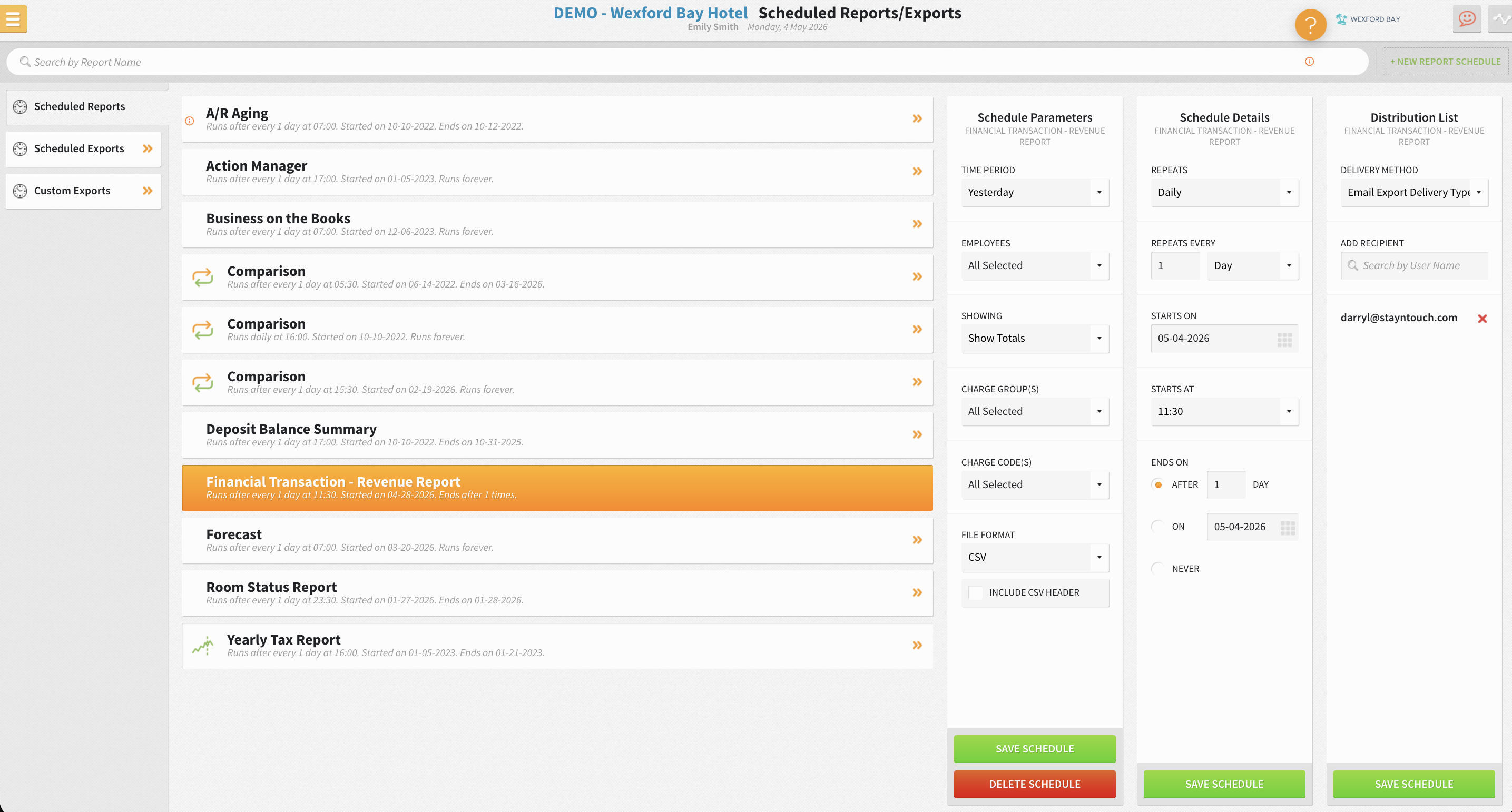
The table below shows how to configure the multi-property dashboard for portfolio-wide control.
|
Configuration Step |
Stayntouch Setting |
|---|---|
|
Activate multi-property dashboard |
Configure portfolio view with property tiles showing occupancy, available rooms, and BAR per property |
|
Push rate templates centrally |
Use central configuration to push rate types, deposit policies, and charge codes to all properties |
|
Enable shared guest profiles |
Activate global guest profile sharing with aggregated stay statistics across the portfolio |
|
Set portfolio-wide direct booking codes |
Configure group-wide loyalty and promotional codes in Booking Engine for all properties simultaneously |
First 30 Days PMS Checklist
This checklist maps each of the 12 strategies to a configuration task, sequenced for a single property going live with Stayntouch. Auto-Configuration, described earlier, reduces property setup from approximately 30 hours of manual work to 4–5 hours. Legacy guest data migrates via the Dataloader module in as little as 1–2 hours, and if your existing export is messy, Stayntouch’s team runs an internal validation process to reformat and clean the file before migration rather than rejecting it outright.
-
Days 1–3: Complete Auto-Configuration template, activate PMS property shell, and migrate legacy guest profiles, company, and travel agent data via Dataloader.
-
Days 4–5: Configure rate plans, BAR floors and ceilings, and stay restrictions, then activate Rate Strategy module with a 20-minute training.
-
Days 6–7: Connect Channel Manager, activate OTA channels via SiteMinder library, set sell limits, and push initial ARI, or availability, rates, and inventory, sync.
-
Days 8–9: Embed Stayntouch Booking Engine on the hotel website, configure promotional and loyalty access codes, and attach upsell packages to rate plans.
-
Days 10–11: Activate guest mobility, configure pre-arrival SMS and WhatsApp triggers in Guest Messaging, and set upsell offer library in Kiosk workflow.
-
Days 12–13: Enable Digital Registration Cards, configure required guest data fields, and upload property terms and conditions.
-
Days 14–15: Connect POS integration such as Toast or Oracle Micros and configure automated charge routing by revenue center.
-
Days 16–17: Connect CRM integration such as Revinate or Cendyn, configure real-time guest profile sync on checkout event, and set post-stay email trigger.
-
Days 18–19: Activate mobile housekeeping on staff devices, configure task assignment by floor, and set early check-in monetization rules.
-
Days 20–21: Configure door lock integration such as ASSA ABLOY, Salto, or dormakaba, then test digital key delivery via mobile check-in flow.
-
Days 22–23: Set up Groups module, configure shoulder-date inventory, and create group access codes for Booking Engine.
-
Days 24–25: Configure automated night audit run time, verify occupancy tax and local tax rules by jurisdiction, and test charge posting from all revenue centers.
-
Days 26–27: Build loyalty rate plan with access code, activate Stash Hotel Rewards integration if applicable, and configure member benefit packages.
-
Days 28–30: Schedule automated reports such as Manager Daily Report and month-to-date and year-to-date comparison for email or SFTP delivery, review Rate Strategy performance, and confirm all channel sync is live.
As noted earlier, front desk staff training takes 2 hours, while full platform training across all modules takes 2 days. Stayntouch Academy provides self-paced eLearning with test environments, certifications, and progress tracking so new hires can onboard without scheduling a trainer, which directly addresses the U.S. hospitality industry’s approximately 70% annual turnover rate.
Start your 30-day implementation plan with the Stayntouch team.
Frequently Asked Questions
How long does it take to see results from direct booking strategies configured in Stayntouch?
Results vary by tactic and by property. Channel Manager sync and Booking Engine activation eliminate double bookings and capture commission-free reservations from day one. Pre-arrival upsell campaigns via Guest Messaging typically show conversion data within the first two weeks of operation. Rate Strategy activates instantly after a 20-minute training session. Post-stay CRM sequences require a connected CRM platform and begin generating repeat direct bookings within 30–60 days as the first post-stay cohort moves through the win-back window. Meaningful RevPAR improvement from dynamic pricing is typically visible within the first 90 days of consistent operation.
Does Stayntouch charge extra for integrations with CRM, RMS, or POS platforms?
Stayntouch provides 1,400+ integrations with unlimited connections at no additional cost from Stayntouch. Each third-party platform, whether a CRM like Revinate or Cendyn, a revenue management system like IDeaS or Duetto, or a point-of-sale system like Toast or Oracle Micros, carries its own platform fee set by that vendor. Stayntouch charges nothing for the integration connection itself, and there are no per-interface fees. This structure turns the decision to add a specialist revenue management system, a preferred CRM, or a new door lock system into an operational choice rather than a capital expense.
What size property is Stayntouch designed for?
Stayntouch works with hotels of all sizes, with a preferred sweet spot of 75 rooms and above, including multi-property groups and management companies managing 100+ properties from a single login. The platform scales from a single independent property to portfolios of 7,000+ rooms across 29 states, and one customer deployed 139 properties in 90 days. Smaller independent hotels are well served and regularly onboarded, and the platform’s ease of use and 2-hour front desk training make it practical for lean teams regardless of room count. Fit matters more than size, and Stayntouch is built for independent properties, boutique brands, and hotels in the process of leaving a major brand flag to operate independently.
How does Stayntouch handle the transition from a legacy PMS without losing historical guest data?
The Dataloader module, referenced in the implementation checklist, migrates legacy guest profiles, group reservations, company profiles, travel agent profiles, and deposit totals in as little as 1–2 hours. If your existing data export is incomplete or inconsistently formatted, which is common with legacy systems, Stayntouch’s team runs an internal validation and cleanup process to reformat the file before migration rather than rejecting it. Manual data entry remains available as a fallback when automated migration is not feasible. Certain fields, such as group blocks, are always created manually regardless of export quality. Non-standard data such as group rooming lists or revenue budgets can be uploaded as CSV files. Auto-Configuration reduces overall property setup from approximately 30 hours of manual work to 4–5 hours, and a full portfolio deploys in 30 to 45 days.
Does Stayntouch include a revenue management system, or do hotels need a separate platform?
Stayntouch includes Rate Strategy, a rule-based rate automation module built directly into the PMS. It automates rate adjustments based on configurable occupancy thresholds and demand parameters, supports multiple trigger points within a single strategy, and trains in 20 minutes. For hotels whose pricing need is rule-based, this removes the need for a separate contract. Rate Strategy does not perform demand forecasting, competitor rate shopping, or market-data-driven price decisions, which remain the functions of a full revenue management system. For hotels that need that depth, Stayntouch integrates with IDeaS, Duetto, FLYR, Lighthouse, PriceLabs, and RoomPriceGenie, among others, so the hotel keeps the choice.
Discuss which configuration fits your property’s revenue strategy with a Stayntouch specialist.
Conclusion
Rising U.S. labor costs, OTA commission rates that consume up to 25% of room revenue, and a hospitality workforce with approximately 70% annual turnover make manual booking tactics unsustainable in 2026. These constraints demand automation, not additional headcount. The 12 strategies in this guide, from activating a commission-free booking engine and automating rate adjustments to running pre-arrival upsell campaigns and centralizing multi-property direct booking programs, address that need by shifting execution from manual marketing effort to PMS configuration tasks.
Stayntouch is a cloud-native property management system built to automate each of these tactics without adding headcount. With the integration library and support infrastructure described above, along with three-way check-in, automated charge posting, and 24/7/365 support with a guaranteed response under one hour, it gives independent hotels and boutique groups the operational infrastructure to compete on direct revenue, not just room count.
The 2026 Hotel Technology Outlook found that best-in-class PMS users report 70% satisfaction against 55% among all-in-one platform users, and check-in delays at 23% versus 46%. The gap between strategy and execution closes when the right system runs the tactics automatically.
See how Stayntouch turns these 12 strategies into daily operations at your property.
Read Next
Turn a more connected stack into a better stay.
See how Stayntouch can support the operating moments that matter most to your hotel team.