
Written by: Kelly Campbell, Vice President of Marketing, Stayntouch
Key Takeaways
- Fast hotel front desk software uses minimal clicks, zero lag, and instant room-status updates so staff can move freely around the property.
- Rising labor costs, high turnover, and guest expectations for quick check-ins make interface speed a measurable financial variable in 2026.
- Stayntouch outperforms legacy enterprise and modern all-in-one PMS platforms with single-screen check-ins, 2-hour front desk training, and full mobile access.
- Drag-and-drop calendars, real-time integrations, and automated night audit reduce staff time and improve housekeeping productivity by 25%.
- Ready to modernize your front desk? Contact Stayntouch to see how a fast interface can transform your operations.
Why a Fast Interface Matters in 2026
Interface speed now affects labor cost, training cost, and guest revenue, not just staff preference.
Labor costs are rising faster than revenue. For U.S. hotels, wage cost per occupied room rose 12.8% in 2025, from $42.82 to $48.32, while labor cost per hour rose 8.0%, against U.S. consumer price inflation of 2.7% over the same period. U.S. hotel labor costs are forecast to reach $131 billion in 2026, while RevPAR growth is expected to remain below 1%. Every minute a staff member spends navigating slow software is a minute billed at a rising hourly rate.
Turnover resets the training clock constantly. The U.S. quit rate in accommodation and food services was 4.3% in March 2026, close to double the 2.2% private-sector average, and industry estimates put annual U.S. hospitality turnover near 70%, against 12–15% in most other sectors. A property management system (PMS) that takes weeks to learn becomes a permanent operating cost rather than a one-time onboarding expense, because new hires arrive almost as fast as you can train them.
Guests expect fast check-ins. Many travelers now choose hotels that offer quick check-in. Traditional manual check-in often takes several minutes per guest and can take longer during peak hours. These delays do more than frustrate guests. Longer waits at reception can correlate with lower ancillary spending, because rushed or irritated guests are less likely to book spa treatments, upgrades, or dining reservations. Slow check-in becomes a direct revenue loss, not just a satisfaction footnote.

The 2026 Hotel Technology Outlook, produced by the NYU SPS Jonathan M. Tisch Center of Hospitality with Stayntouch and IDeaS (November 2025, 300+ hotel professionals), found that 46% of all-in-one platform users report check-in delays, versus 23% of best-in-class PMS users. The interface is not a cosmetic detail. It is an operational variable with a measurable cost.
See what hotel front desk software with a fast interface looks like in practice. Book a demo.
Benchmark: How Three PMS Categories Perform on Speed
Given these cost and revenue pressures, hotels need to see how different PMS categories perform on the metrics that determine front desk speed. The table below compares three PMS categories across those metrics. All Stayntouch figures are drawn from Stayntouch customer data. Legacy enterprise and modern all-in-one figures reflect category-level patterns documented in Stayntouch competitive research and corroborated by third-party sources cited throughout this article.
| Metric | Legacy Enterprise PMS | Modern All-in-One PMS | Stayntouch (Best-in-Class) |
|---|---|---|---|
| Check-in steps (staff-assisted) | Up to 8 steps before key issuance | Reduced, but varies by configuration | Single-screen, minimal clicks (Stayntouch customer data) |
| Front desk training to competency | ~3 months to basic grasp, 6–9 months to master (Stayntouch competitive research) | Days to weeks, depending on platform | 2 hours for front desk and reservation management (Stayntouch customer data) |
| Full platform training | 6–9 months (Stayntouch competitive research) | Weeks to months | 2 days across all modules (Stayntouch customer data) |
| Mobile access for staff | Limited or absent, workstation-bound | Partial, varies by vendor | Full PMS functionality on tablets and phones (Stayntouch customer data) |
The pattern is consistent. Legacy systems impose the highest click counts and the longest training cycles. Modern all-in-one platforms improve on both but spread the vendor’s engineering effort across multiple product categories, including revenue management, point-of-sale (POS), and customer relationship management (CRM). That spread limits how deeply any single module, including the PMS, is refined. A best-in-class PMS concentrates its entire development effort on the system hotel staff touch every hour of every shift.
Single-Screen Check-In Workflows
Single-screen check-in keeps staff focused on guests instead of on navigation. On legacy enterprise systems, front desk staff spend much of their time on administrative tasks such as data entry, document scanning, and payment processing. No evidence provides a specific percentage of time that front desk staff on legacy PMS systems spend on administrative tasks. A check-in process that runs across multiple screens, with reservation lookup on one, payment on another, and key issuance on a third, forces the agent’s eyes away from the guest at every transition. The welcome moment turns into a data-entry exercise.
Stayntouch PMS consolidates reservation lookup, payment processing, and room assignment into a single view. A hotel PMS app that displays the arrival list, room assignment, guest notes, and payment processing together enables front desk agents to complete check-ins quickly. Systems that require multiple screen switches add seconds to every check-in. On a busy arrival day with 30 check-ins per shift, that difference accumulates to hours of staff time billed at 2026 wage rates.

Stayntouch also offers three simultaneous check-in paths. Guests can complete registration and payment before arrival and check out their room from their phone in 30 seconds. They can use a self-service kiosk on property, which includes an integrated credit card reader and key encoder. They can also check in at the front desk with a staff member. All three paths run at the same time, and the hotel decides which to offer based on its service model.
Drag-and-Drop Room Calendars for Faster Room Moves
Drag-and-drop room calendars let staff manage room moves and extensions in seconds. The room diary, the calendar-style grid showing which room is occupied, free, or blocked on each date, is the front desk’s primary visual working view. On systems without drag-and-drop functionality, moving a guest to a different room requires navigating away from the calendar, canceling or modifying the reservation, reassigning the room type, and returning to the grid. Each step introduces lag and error risk.
Stayntouch PMS uses a color-coded room diary with drag-and-drop interaction. Room moves, stay extensions, and status updates complete directly on the visual grid without leaving the screen. A well-designed visual tape chart with drag-and-drop room assignment lets front desk staff assign rooms in seconds during peak check-in hours, optimizing room turnover and guest satisfaction. Room status updates propagate instantly across the system. Housekeeping sees the change the moment it is made, and the front desk sees a room become available the moment it is inspected.
According to Stayntouch customer data, this real-time sync contributes to a 25% increase in housekeeping productivity, because front desk and housekeeping work from one live view rather than two versions of the truth.
Mobile Access: Untethering Staff from the Front Desk
Mobile access frees staff from the desk so they can welcome guests anywhere in the hotel. Workstation-bound software keeps staff fixed behind a desk. Guests queue while agents work through screens. The welcome, the most consequential moment of the stay, becomes transactional.
Stayntouch PMS runs natively on tablets and phones. Staff can pull up a full guest profile, complete a check-in, or update a room status from anywhere on property. According to Stayntouch customer data, this mobile-first design produces a 54% reduction in staff-assisted check-ins, as guests increasingly complete arrival through mobile or kiosk paths while staff are freed to engage rather than process.
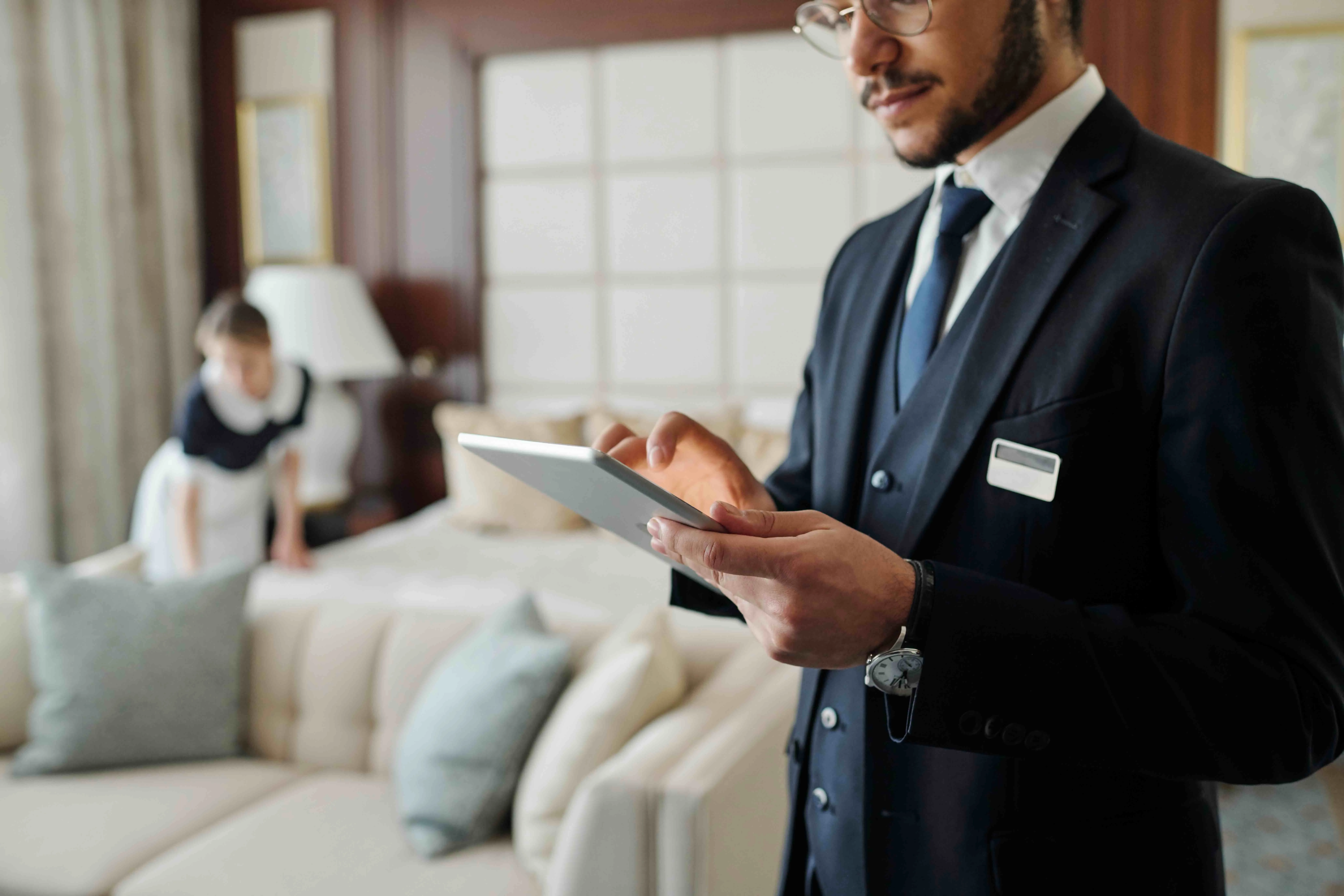
The operational effect appears clearly in customer feedback. Daniel Tennant, former General Manager of Hotel on Rivington, noted: “Our former PMS was very challenging to use. When checking guests in, the staff could never raise their heads to look the guest in the eye because of all the screens that they had to click through. With Stayntouch PMS, the process takes far fewer steps, and has enhanced our entire welcome and check-in experience.”
Steve Slack, General Manager of The Lafayette Hotel & Club, added: “Sometimes it’ll take weeks to really fully grasp a PMS. I think with Stayntouch, within the first shift, you can get someone comfortable checking a guest in and feeling confident using the system.”
Training That Matches Real Hotel Turnover
Training that finishes in hours instead of months fits the reality of hotel turnover. In an industry with roughly 70% annual turnover, training time becomes a recurring operating expense that compounds with every new hire. A PMS that requires three months to reach basic working competency, and six to nine months to master, leaves hotels running with partially trained staff most of the time.
Stayntouch trains front desk staff completely in 2 hours on front desk and reservation management. Full platform training across all modules takes 2 days. The distinction matters. The 2-hour figure covers the workflows front desk staff perform on every shift, including check-in, checkout, room assignment, payment, and reservation management. The 2-day figure covers the complete platform including housekeeping, night audit, finance, revenue management, and all other modules.
Stayntouch Academy, the platform’s role-based eLearning system, provides self-paced courses, test environments, certifications, and progress tracking so new hires can onboard without scheduling a trainer. The practical consequence, described by multiple Stayntouch customers, is that hotels can hire for guest-facing ability rather than technical aptitude. As one Hotel Tech Report reviewer noted: “I get to hire amazing personalities without worry if they will ‘get’ the PMS.”
Legacy vs. Cloud Speed Costs
Legacy PMS platforms carry hidden speed costs that cloud systems remove. The price of a legacy PMS extends well beyond its license fee. Three categories of hidden cost directly affect front desk speed.
Downtime during upgrades. Legacy system upgrades typically require extended hotel-wide downtime. Every hour the system is offline is an hour the front desk operates on paper or memory, with the cost landing directly on guest service and staff confidence.
Integration fees. Legacy enterprise integrations can cost as much as $10,000 each, according to Stayntouch competitive research. Every technology decision becomes a budget negotiation, which discourages improving the stack at all. Stayntouch provides 1,400+ integrations at no additional cost for the integration itself. Hotels pay each third-party platform its own platform fee, but Stayntouch charges nothing for the connection.
Hidden labor costs. Hotels that migrate from a legacy on-premise PMS to a cloud-based PMS can see reductions in average check-in time. Check-in is not the only workflow affected. End-of-day audit procedures also require significantly more time on legacy platforms than on modern cloud systems. Stayntouch eliminates this labor cost entirely by running automated night audit, removing the manual close from the nightly routine.
Stayntouch is cloud-native on AWS with 100% system uptime sustained over the past two years. Product releases require no downtime and generally have no impact on staff usage or the guest experience.
Queue Reduction and Guest Satisfaction Data
Queue reduction and higher satisfaction scores follow when guests can choose faster arrival paths. According to Stayntouch customer data, hotels using Stayntouch achieve a 54% reduction in staff-assisted check-ins. When guests can complete arrival on their phone in 30 seconds or at a kiosk in under a minute, the front desk queue shortens. The guests who choose staff-assisted check-in then receive more attentive service because agents are not processing a long line.
The 2026 Hotel Technology Outlook cited earlier also found that all-in-one users report higher rates of booking errors, at 57% versus 45%, and missed guest preferences, at 51% versus 41%, compared to best-in-class PMS users. Those gaps align with the check-in delay difference and show how interface speed and clarity affect accuracy as well as wait times.
Stayntouch customer data also shows guest satisfaction scores rising by up to 20 points with kiosk check-in adoption.
Integration Speed Impact on Front Desk Workflows
Integration speed determines how fast the PMS feels in daily operations. A fast PMS interface slows down the moment it depends on a slow or broken integration. Door lock systems that do not receive instant room-assignment updates, housekeeping platforms that sync on a delay, and payment gateways that require manual reconciliation all introduce lag that the front desk interface cannot overcome.
Stayntouch uses event-driven architecture with webhooks, connections that push data the moment something happens rather than requiring other systems to keep asking. When a guest checks in, the door lock system and guest messaging platform are notified in real time. The 1,400+ integrations include direct cloud-to-cloud connections for modern applications and a bridge approach via COMTROL and Omniboost for legacy door locks, PBX phone systems, and specialized accounting software. Existing hardware does not have to be replaced to gain a modern interface.
Named integration partners include IDeaS, Duetto, Toast, Oracle Micros, Salto, ASSA ABLOY, Revinate, Amadeus, Lighthouse, and Tripleseat, among many others. As Michael Brown, VP of Business Intelligence at TPG Hotels & Resorts, described it: “Integrations. They work. That’s really the best thing I can say about it. I don’t spend any time having to work through integration issues. Once it’s done, it’s done. We don’t have issues.”
People Also Ask: Legacy Enterprise Speed and Opera-Style Systems
How many clicks does it take to check in a guest on a legacy enterprise PMS?
On some legacy enterprise systems, the staff-assisted check-in process runs to eight steps before a guest receives a key, according to Stayntouch competitive research. Each step typically requires navigating to a different screen. Reservation lookup, guest profile, room assignment, payment, folio review, and key encoding are often handled in separate modules rather than a single view. The practical effect is that agents cannot make eye contact with the guest during check-in because they are working through sequential screens. Modern cloud-native systems consolidate these steps into a single interface.
How long does it take to train staff on a legacy hotel PMS?
Legacy platforms typically take around three months for a front desk agent to reach a basic working grasp, and six to nine months to reach full operational confidence, according to Stayntouch competitive research. In an industry where annual turnover runs near 70% for U.S. hotels, that training timeline means a hotel is perpetually operating with partially trained staff. As noted earlier, Stayntouch trains front desk staff in 2 hours on front desk and reservation management, and the full platform across all modules in 2 days.
Do Opera-style multi-screen systems perform differently on speed than cloud-native PMS platforms?
Systems designed around multi-screen workflows, where each function occupies a separate module or window, require more navigation steps per task than single-screen cloud-native interfaces. The speed difference is most visible during peak check-in hours, when agents are processing multiple arrivals in sequence. Manual check-in operations average 8–12 minutes per guest on traditional systems, while cloud-native single-screen workflows reduce that to under three minutes. The gap compounds across a full arrival day.
Can a hotel reduce check-in queues without replacing its entire technology stack?
Hotels can reduce queues partially by adding a kiosk or mobile pre-check-in flow on top of a legacy PMS. However, if the underlying PMS does not update room status in real time, does not push instant notifications to door lock systems, and does not consolidate payment and key issuance into a single workflow, the speed gains stay limited by the slowest component. Full queue reduction requires a PMS that is fast at every step of the arrival process, not just the guest-facing layer.
Conclusion: Choose the Interface That Keeps Pace with Your Team
Front desk software with a fast interface can be evaluated on four measurable criteria. These include click counts per workflow, training hours to competency, mobile access for staff, and real-time integration with the systems that surround the PMS. Legacy enterprise systems fail on all four. Modern all-in-one platforms improve on some but spread the vendor’s engineering effort across too many product categories to go deep on any of them. A best-in-class PMS concentrates entirely on the system hotel staff touch every hour of every shift.
Stayntouch delivers a drag-and-drop room calendar, single-screen check-in, full mobile access for staff, 2-hour front desk training, and 1,400+ integrations at no additional cost for the integration itself. These capabilities produce the 54% reduction in staff-assisted check-ins and up to 20-point guest satisfaction gains documented earlier. The 2026 Hotel Technology Outlook found that 30% of all-in-one users intend to move to best-in-class solutions, against 14% moving the other way. The direction of travel is clear.
Frequently Asked Questions
What makes a hotel front desk software interface genuinely fast, and how do I evaluate it during a demo?
A genuinely fast hotel front desk interface completes common tasks such as check-in, room assignment, payment processing, and checkout in the fewest possible clicks, with no perceptible lag between actions. During a demo, time the check-in sequence for a confirmed reservation. If it requires more than three clicks to reach the point of key issuance, or if any screen takes more than a second to load, the system will create queues during peak hours.
Also test room moves. A fast system completes a drag-and-drop room reassignment directly on the visual calendar without navigating away. Test on the devices your staff will actually use. A system that performs well on a desktop but struggles on a tablet will fail if tablets are your front desk standard. Finally, ask how long front desk training takes for a new hire with no prior PMS experience. Stayntouch’s 2-hour front desk training, referenced earlier, is a clear indicator of interface simplicity.
How does Stayntouch reduce staff-assisted check-ins by 54%, and what does that mean operationally?
The 54% reduction in staff-assisted check-ins, according to Stayntouch customer data, comes from offering guests three simultaneous arrival paths rather than one. Guests can complete registration and payment before arrival and check in from their phone in 30 seconds. They can use a self-service kiosk on property, which includes an integrated credit card reader and key encoder and completes check-in in under a minute. They can also check in at the front desk with a staff member.
When a meaningful share of guests choose the mobile or kiosk path, the front desk queue shortens. The guests who prefer staff-assisted check-in receive more attentive service because agents are not processing a line. Operationally, staff spend more time with guests and less time behind a monitor, which supports higher guest satisfaction scores and better reviews.
What is the difference between Stayntouch’s 2-hour front desk training and 2-day full platform training?
As noted earlier, Stayntouch’s 2-hour front desk training covers only the workflows agents perform on every shift, including check-in, checkout, room assignment, payment processing, and reservation lookup. A new hire trained for 2 hours is operationally ready for their first shift on those core tasks. The 2-day timeline covers the full platform across all modules, including housekeeping, night audit, finance, revenue management, and all other functions.
Stayntouch Academy, the platform’s role-based eLearning system, supports both timelines with self-paced courses, test environments, and certifications so staff can train without scheduling a dedicated trainer session. The practical benefit in a high-turnover environment is that a new front desk hire is productive on day one, not week three.
How does Stayntouch handle integrations, and does a fast interface depend on them working in real time?
A fast front desk interface depends on integrations that work in real time. If a door lock system receives room assignments on a delay, or if a housekeeping platform syncs every few minutes rather than instantly, the front desk cannot act on current information. Stayntouch uses event-driven architecture with webhooks, which push data the moment something happens rather than requiring other systems to poll for updates.
When a guest checks in, the door lock system and guest messaging platform are notified in real time. Stayntouch provides 1,400+ integrations. Hotels pay each third-party platform its own platform fee, but Stayntouch charges nothing for the integration itself. This includes direct cloud-to-cloud connections for modern applications and a bridge approach for legacy door locks, PBX phone systems, and specialized accounting software, so existing hardware does not have to be replaced to gain a modern, fast interface.
Is Stayntouch suitable for multi-property hotel groups, and does the interface remain fast across multiple properties?
Stayntouch is built for independent hotels, boutique brands, and multi-property groups, with no upper limit on portfolio size. The multi-property dashboard allows corporate teams to manage global configuration for 100+ properties from a single login, with custom property groups by region, brand tier, or management cluster. According to Stayntouch customer data, multi-property management runs 70% more efficiently from this single dashboard compared to managing properties on separate systems.
The interface speed does not degrade across properties because Stayntouch is cloud-native on AWS with 100% system uptime and an average system response time of 256ms. One Stayntouch customer deployed 139 properties across 29 states in 90 days, a deployment scale that demonstrates both the platform’s speed and its ability to maintain consistent performance across a large portfolio.
Turn a more connected stack into a better stay.
See how Stayntouch can support the operating moments that matter most to your hotel team.