

Written by: Kelly Campbell, Vice President of Marketing, Stayntouch
Key Takeaways
- High front office turnover (50-80%) makes a concise, living training manual essential to reduce recurring onboarding costs.
- Organize the manual around the guest journey with role-specific SOPs, checklists, and troubleshooting guides for faster staff adoption.
- Keep system instructions short by choosing an intuitive PMS; Stayntouch customers complete full training in just two hours.
- Build in communication standards, assessments, and quarterly reviews to maintain accuracy and reduce early turnover.
- Ready to shorten training time and keep your manual current? See how Stayntouch trains staff in hours, not weeks.
Step 1 — Welcome and Purpose
Every training manual needs a clear statement of purpose so staff treat it as a working reference, not a compliance artifact.
Define the following before writing a single procedure:
- Audience: Front desk agents, night auditors, supervisors, or all three. Role-specific manuals outperform catch-all handbooks because modular, role-specific content reduces overwhelm for new hires.
- Scope: Which shifts, which tasks, and which systems the manual covers.
- Compliance considerations: Local occupancy tax rules (the per-night tax on the room rate, set by city, county, or state), guest privacy requirements, and any brand standards that apply to your property.
- Stakeholders: Who approves changes, typically the general manager and department head.
- Timing: When new hires receive the manual and when it is reviewed.
Template language for the welcome section: “This manual defines the standard operating procedures (SOPs), written, step-by-step instructions that standardize how tasks are performed, for the front office team at [Property Name]. It is the primary reference for all front desk agents and supervisors. It is reviewed quarterly and updated whenever our PMS or operating procedures change.”
Step 2 — Daily Workflows and Checklists
Map the core sections of the manual around the guest journey, not the time of day. Organizing SOPs by scenario type, such as arrivals, departures, complaints, and VIP handling, produces more usable documents than organizing by shift.

Arrange the sections in the same order a guest experiences your hotel. This structure helps new hires connect procedures to real situations and recall them faster on shift.

Core sections for a hotel front office training manual include:
- Pre-arrival review: checking the PMS for VIPs, special occasions, and room assignments before guests arrive
- Check-in: identity verification, payment or pre-authorization, key issuance, PMS update
- Room-not-ready handling: luggage storage, realistic timing, proactive guest contact
- In-stay requests: logging work orders in the PMS with a reference number before ending the conversation
- Checkout: final bill walkthrough, payment processing, folio (the guest’s running bill for the stay) closure
- Shift handover: guest status, open issues, cash drawer reconciliation, signed shift log
- Night audit: the end-of-day process that closes out transactions, posts room charges and taxes, and rolls the system into the next business day
Well-implemented front office SOPs reduce training time, lower error rates during peak periods, and deliver consistent guest service regardless of which staff member is on shift. Attach a one-page checklist to each high-frequency procedure so agents can confirm steps quickly. Laminated quick-reference cards kept at the desk complement the full SOP library and are the format new hires actually use on their first solo shift.
Step 3 — System Guides
PMS instructions are the section most likely to become outdated and the section new hires consult most often. Write numbered SOPs with screenshots or annotated diagrams for every system task. Keep each SOP focused on a single defined task.
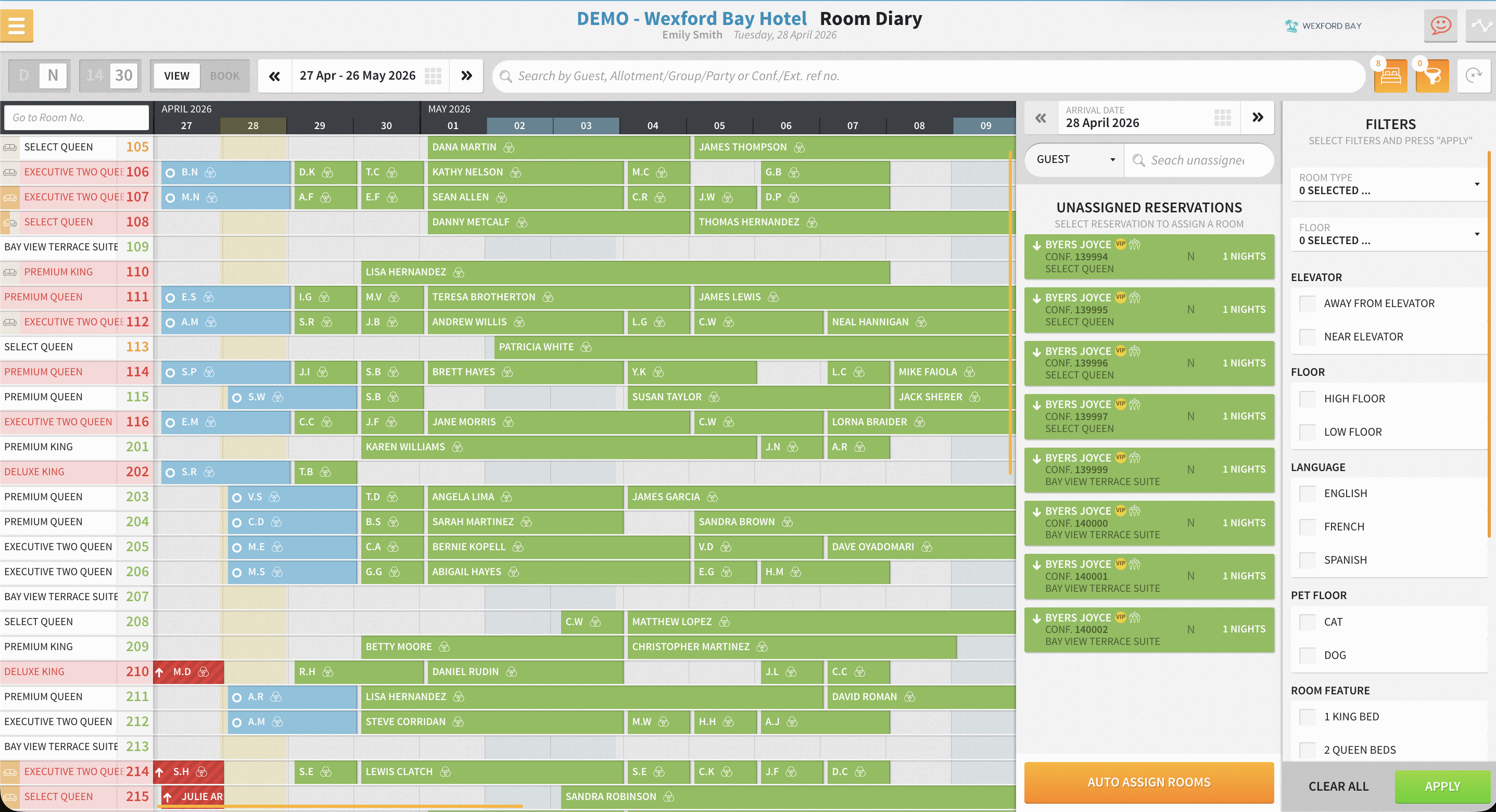
A typical hotel SOP includes seven core components: Title and Purpose, Scope, Roles and Responsibilities, Step-by-Step Procedure, Quality and Control Requirements, Required Forms and Documents, and Review and Version Control. Apply that structure to every PMS task you document so agents always know where to look for key details.
The length of your system guide section is directly tied to how intuitive your PMS is. According to Stayntouch customer data, front desk staff complete full training on Stayntouch PMS in 2 hours. That figure determines how many pages your system guide needs to be and how much time you spend maintaining it. A PMS that requires months to master produces a system guide that no new hire will read in full before their first shift. A PMS that trains in hours produces a system guide short enough to be useful and easy to keep current.
Document these PMS tasks at minimum, following the guest journey from booking through departure and end-of-day close:
- Creating and modifying reservations
- Check-in and checkout workflows
- Room assignment and room moves
- Posting charges to a guest folio
- Processing payments and pre-authorizations
- Updating room status in coordination with housekeeping
- Running the night audit
Step 4 — Communication Standards
Consistent guest communication reduces complaints and protects review scores, and documented scripts make that consistency repeatable.
Build your communication standards as a connected system that covers greetings, service recovery, and escalation so agents always know what to say and who to involve.
Include the following in your communication standards section:
- Telephone greeting script with the hotel name and agent name
- In-person greeting standard, including eye contact and the 30-second acknowledgment rule
- Complaint-handling script following the LEARN flow: Listen, Empathize, Apologize, Resolve, Notify
- Escalation path: which issues the agent resolves independently, which go to the supervisor, and which go to the general manager
- Service timing standards: check-in completed in under three minutes for standard arrivals, guest requests acknowledged within five minutes
Write scripts as guides, not call-center scripts. SOPs should be structured with a clear trigger, sequence of steps, and escalation path rather than scripting every interaction. This approach keeps service natural while still consistent.
Step 5 — Troubleshooting
New hires encounter problems before they encounter every procedure, so a troubleshooting section reduces supervisor interruptions and builds agent confidence faster.
Structure each troubleshooting entry with a trigger (what the agent observes), a decision tree (what to check first), and an escalation point (when to call for help). This format turns stressful situations into predictable flows.
Common front office scenarios to document include:
- Guest arrives and room is not ready: store luggage, offer waiting options, record contact number, call proactively when room is inspected, and never assign a room housekeeping has not marked clean
- Payment declines at check-in: request an alternative card, do not assign a room until payment is secured, document the attempt in the PMS
- Guest disputes a charge at checkout: pull the folio, walk through each line item, escalate to supervisor if unresolved within two minutes
- PMS is slow or unresponsive: follow the offline procedure documented in the system guide, then contact support
- Overbooking: follow the walk procedure, offer comparable accommodation, document the outcome in the PMS, and notify the general manager
The best hotel SOP is the one a brand-new employee can follow correctly on their first solo shift without asking anyone for help. Troubleshooting entries are where that standard is tested most directly.
Step 6 — Assessments and Sign-Off
A manual without a verification mechanism is a suggestion, so build short quizzes and sign-off forms into the onboarding process to confirm comprehension before a new hire works independently.
Use these principles for effective assessment design for front office training:
- Replace vague competency statements with observable actions. “Understand the guest communication policy” cannot be verified. “Handle a room-change request in the PMS without supervisor assistance” can.
- Use scenario-based questions drawn directly from the troubleshooting section.
- Require a supervised performance of each core SOP before sign-off. Walk through the procedure, have the employee perform it once with observation, then once independently.
- Attach a sign-off form to each module. The agent signs when complete, and the supervisor countersigns when the output matches the defined standard.
Template sign-off language: “I confirm that I have read, understood, and demonstrated competency in the procedures listed above. I understand that this manual is a living document and that I am responsible for reading updated versions when notified.” Include fields for the agent’s name, date, supervisor name, and date.
Meta-analytic evidence from field experiments shows structured socialization programs improve newcomer retention with an odds ratio of 1.4. The sign-off form is the mechanism that makes your onboarding structured rather than informal.
Step 7 — Maintenance and Version Control
A training manual that is not maintained becomes a liability. Outdated procedures produce errors, errors produce guest complaints, and guest complaints drive the turnover that makes the training problem worse.
Choose digital hosting over a printed binder. Digitizing hotel front office SOPs via cloud-based systems provides staff with instant access to standardized procedures while enabling real-time updates that eliminate outdated practices. Cloud platforms such as Google Workspace or Dropbox enable real-time collaboration and centralized storage, replacing physical binders with searchable documents.
Apply version control using dates, not version numbers. Staff understand calendar dates more intuitively than identifiers like v2.4.1. Every SOP should carry a “last updated” date and a “next review” date so staff can immediately see the document’s current status.
Assign a named owner to each SOP section, typically the front office manager or a designated property champion. That person is responsible for tracking changes between scheduled reviews and updating documents when a process or system changes.
Step 8 — Quarterly Reviews and Continuous Improvement
Regular reviews keep your manual aligned with reality and prevent large, time-consuming rewrites.
Schedule quarterly reviews for high-frequency procedures and annual reviews for lower-frequency ones. Tie the review calendar to your PMS release notes so the system guide section of your manual updates before the next training cycle, not months later when a new hire discovers the screenshots no longer match the screen.
A cloud-native PMS, software built to run in the cloud from the outset with no on-site servers and no manual upgrades, releases updates without downtime. Your system guide reflects the current interface because the interface changes on a predictable schedule you can plan around. With the 2-hour training time mentioned earlier, your system guide section stays short enough to update in an afternoon rather than a week.
Ready to build a manual that stays current without the overhead? Learn how Stayntouch keeps training lean and staff productive from day one.
Frequently Asked Questions
How long does it take to write a hotel front office training manual from scratch?
A focused effort by one experienced manager, working from existing procedures and a clear SOP template, typically produces a usable first draft in two to four weeks. The timeline depends on how many roles the manual covers, how many PMS tasks need to be documented with screenshots, and whether communication scripts and troubleshooting entries are written from scratch or adapted from existing materials. Properties that start with a modular structure, one document per role and one SOP per task, move faster than those attempting a single comprehensive handbook. The goal is a document a new hire can follow on their first solo shift, not an exhaustive reference library.
How many people does it take to build and maintain the manual?
One person can own the project, but the best manuals are written with input from the people doing the job. SOPs drafted by management without operational input are rarely used because the language is formal and the sequence does not match the physical workspace. Involve two or three experienced front desk agents in a collaborative review session before finalizing each section.
Maintenance requires a named owner per section and a quarterly review commitment of roughly two to four hours per cycle. A property champion, a senior agent or supervisor designated to lead internal adoption, distributes the coaching load without adding payroll cost.
Does the manual need to change every time the PMS updates?
Only the system guide section requires updates when the PMS changes its interface. Workflow sections, communication scripts, and troubleshooting entries are PMS-agnostic and change only when your operating procedures change.
The practical implication is that a cloud-native PMS with a predictable release schedule makes the update burden manageable. You know when changes are coming, you can update screenshots in advance, and you can notify staff before the change goes live rather than after. A PMS that requires extended downtime for upgrades creates an unpredictable update cycle that is harder to plan around.
What is the right length for a hotel front office training manual?
The manual should be short enough that a new hire reads it before their first shift. Each individual SOP should be readable in under two minutes. If a task requires more detail, split it into separate documents covering distinct tasks rather than expanding a single SOP.
The total manual length is a function of how many roles it covers and how complex your PMS workflows are. A property running a cloud-native PMS that trains front desk staff in 2 hours will produce a shorter system guide than one running a legacy platform that takes months to learn. Shorter manuals get read. Manuals that do not get read do not reduce errors.
How does a training manual reduce the cost of high turnover?
Turnover costs extend well beyond the recruitment fee. The cost to replace one employee is estimated at 50–200% of that employee’s annual salary when you account for lost productivity, manager time, and the errors new hires make before reaching competence.
A structured training manual with clear SOPs, assessments, and sign-off forms reduces time to productivity, reduces the error rate during the ramp period, and reduces early turnover, the 20% of all employee departures that occur within the first 45 days, often because new hires feel lost and unsupported. A manual that a new hire can follow independently on their first shift addresses all three cost drivers simultaneously.
Conclusion
A hotel front office training manual built in eight steps, purpose and audience, daily workflows, system guides, communication standards, troubleshooting, assessments and sign-off, maintenance, and quarterly reviews, converts a permanent operating cost into a one-time investment that compounds over time. Each new hire reaches competence faster. Each departure costs less. Each review keeps the document current without a major rewrite.
The manual’s system guide section is only as short as your PMS allows. The 2-hour training time mentioned earlier determines how many pages your system guide needs, how quickly a new hire can work independently, and whether your manual is a document people actually use or one that lives in a shared drive. When your PMS trains staff in hours, not months, you focus on your guests, not your PMS, and your training manual reflects that.
Stayntouch is a cloud-native PMS built for independent hotels, boutique brands, and multi-property groups. It connects to 1,400+ integrations at no extra cost for the integration itself (each third-party platform carries its own platform fee), trains front desk staff in 2 hours, and releases updates with no downtime, so your manual stays current on a schedule you can plan around.
See how Stayntouch accelerates onboarding and keeps your front office running at full capacity regardless of turnover.
Turn a more connected stack into a better stay.
See how Stayntouch can support the operating moments that matter most to your hotel team.