
Written by: Kelly Campbell, Vice President of Marketing, Stayntouch
Key Takeaways
- Modern PMS platforms can integrate with your existing POS, so you can upgrade your property management software without replacing your point-of-sale system.
- PMS-POS integration automates charge posting, reduces manual entry errors, and significantly cuts checkout disputes.
- Three integration paths exist: direct API, middleware, and native connections. Direct API is the preferred modern approach for real-time data sync.
- Key evaluation criteria include open APIs, no per-interface fees, real-time two-way sync, and strong support from hospitality specialists.
- Stayntouch offers 1,400+ integrations at no extra cost, including POS systems like Toast, Oracle Micros, and Lightspeed. Check your POS compatibility with our team.
How PMS-POS Integration Works in Daily Operations
Your PMS is the hotel’s operational hub. It manages reservations, check-in and checkout, room assignment, housekeeping status, and the guest folio, which is the running bill for each stay. Your POS is where food, beverage, and retail sales are processed in any revenue center, from the restaurant and bar to the spa or lobby shop.
Without integration, a staff member must manually enter every restaurant or bar charge into the PMS. Manual payment data entry carries a 3% error risk per transaction and costs businesses between 10 and 40 hours of administrative labor every month. A venue processing 500 transactions a day faces 15 potential discrepancies every day. Those errors surface at checkout, when guests dispute charges and front desk staff scramble to reconcile mismatched reports.
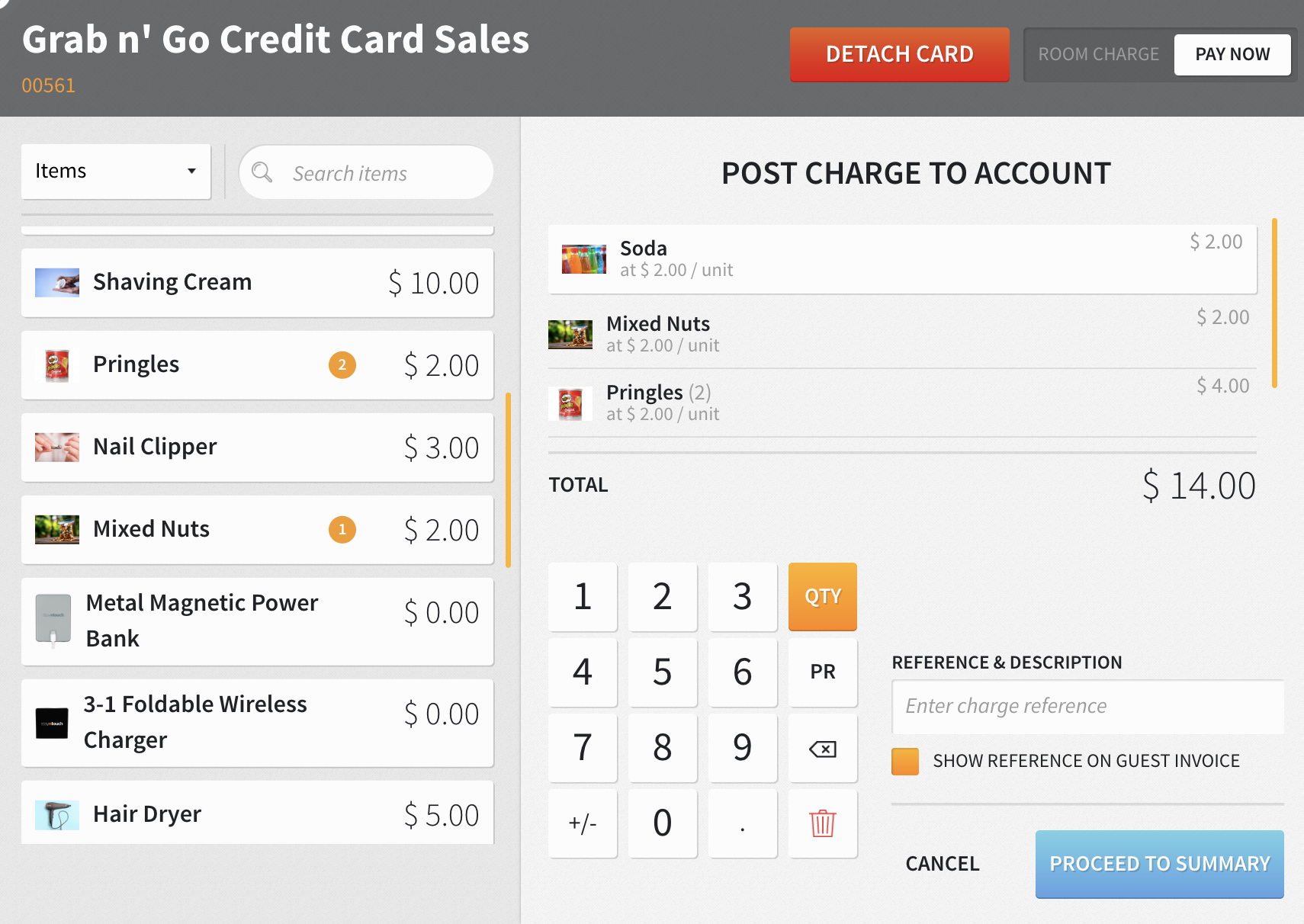
PMS-POS integration automates this process. When a guest charges a meal to their room, the POS verifies the room number and credit limit against the PMS, then posts the charge directly to the correct folio in real time. Manual entry disappears, charges stay accurate, and checkout runs smoothly for guests and staff.
How a PMS Connects to a POS: Integration Paths Explained
Three main integration paths connect a PMS to a POS. These approaches shape reliability, speed, and how easily you can change systems later, so they matter during vendor evaluation.
Direct API integration. An application programming interface (API) is a standardized connection that lets two software systems exchange data. When a guest charges a meal to their room, the POS sends a request to the PMS via a webhook. A webhook pushes information the moment something happens. The PMS validates the guest and room, and the charge posts to the folio instantly. Direct API integration is especially suitable when guest-facing data must move immediately, such as posting charges to folios. This method is the modern standard for PMS-POS connectivity.
Middleware or bridge. A third-party connector sits between the PMS and POS, translating data between systems that do not speak the same language. Middleware is used when direct API integration is not available, such as with legacy systems without APIs, or when data transformation is complex, or when multiple systems must receive the same event from a single source. This approach adds a layer of complexity but preserves existing investments and hardware.
Native integration. Some PMS vendors offer built-in connections to specific POS systems. These connections are pre-built and tested, but limited to the partners the vendor has chosen to support.
The table below summarizes these three paths and highlights the trade-offs between real-time reliability, flexibility, and complexity.
| Integration Path | How It Works | Pros | Cons | Best For |
|---|---|---|---|---|
| Direct API | PMS and POS communicate directly via API, often using webhooks for instant data push | Real-time posting, reliable, no middleman | Requires both systems to expose modern APIs | Cloud-native PMS and POS systems |
| Middleware/Bridge | Third-party connector translates data between systems | Connects legacy hardware, preserves existing investments | Adds a component that can fail, potential sync lag | Older POS systems, specialized software |
| Native Integration | PMS vendor offers built-in connection to specific POS | Pre-built and tested, simple setup | Limited to vendor’s chosen partners | Properties using a POS the vendor has pre-integrated |
A modern PMS should offer open APIs, with documented and accessible connections that do not require special permission or extra fees. Legacy enterprise PMS platforms can charge as much as $10,000 per third-party interface, turning every integration into a budget negotiation. That model discourages improving your technology stack and slows innovation across the property.
Key Benefits of PMS-POS Integration
Strong PMS-POS integration improves guest experience, reduces friction for staff, and tightens financial control. Automated charge posting directly addresses the manual entry errors and checkout disputes described earlier.
- Error reduction. As noted earlier, manual entry carries a measurable error risk per transaction. An integrated system catches discrepancies in real time instead of at month end, when tracing is harder.
- Fewer checkout disputes. Hotels with integrated PMS-POS systems report a reduction in checkout disputes by up to 40%, attributed to the benefits of automated charge posting. Accurate folios reduce tense conversations at the front desk.
- Faster checkout. Hotels that integrated their PMS and POS systems observed a reduction in checkout times by as much as 50%. Guests leave quickly, and staff can focus on service instead of searching for missing charges.
- Real-time reporting. Integrated POS and PMS reporting is accurate because all data draws from the same source, which removes the need to reconcile data from separate systems. Finance teams gain a single version of the truth.
- Revenue capture. Without POS-PMS integration, accounts teams spend hours daily matching restaurant sales against hotel guest folios, and lost revenue from walk-away charges is common. Real integration posts incidentals automatically and protects that revenue.
- Accounting efficiency. According to Stayntouch customer data, hotels see up to a 42% improvement in accounting efficiency through payment automation and integrations.
These gains compound across the operation, from front desk and restaurants to finance and ownership reporting.
Keeping Your Existing POS While You Upgrade Your PMS
You can usually keep your existing POS when you switch PMS, as long as the new PMS offers open integrations. You do not have to replace your POS to upgrade your PMS.
Some all-in-one platforms bundle PMS and POS into a single vendor package and require you to use their point-of-sale tools. That approach reflects a business model choice by the vendor, not a technical necessity. A best-in-class PMS connects to the tools you already use, so your team keeps the POS they know while you gain the PMS capabilities you need.
Stayntouch integrates with the POS systems hotels actually run: Toast, Oracle Micros and Simphony, Lightspeed, Shift4, GoTab, Silverware, and many more. With 1,400+ integrations available at no extra cost, Stayntouch connects to your existing POS without per-interface fees. Each third-party platform charges its own fees for its software, while Stayntouch includes the integration as part of the service.
Ready to confirm Stayntouch works with your existing POS? Talk with our integration specialists and walk through your specific setup.
What to Look for in a PMS-POS Integration
Use this checklist when you evaluate a PMS and its integration capabilities. These criteria separate flexible, future-ready platforms from closed systems.
- Open APIs. Confirm that the APIs are documented and accessible. Vendors with well-documented REST APIs allow straightforward integration, while proprietary protocols create vendor lock-in.
- No per-interface fees. As mentioned earlier, some legacy platforms charge thousands of dollars per third-party interface. A modern PMS treats connectivity as core infrastructure, not a separate revenue line.
- Real-time sync. Polling-based integrations that check for changes every 5–15 minutes can be too slow during peak periods. Webhooks that push changes in seconds keep folios and reports current.
- Two-way data flow. If POS-to-PMS cancellations do not propagate, hotels can end up with phantom charges on guest folios. True two-way sync prevents this and keeps balances accurate.
- Depth of field mapping. Verify that tax rates, service charges, and discounts map correctly between systems. When two systems describe the same thing differently, unmapped fields can fail quietly and corrupt downstream reports.
- Integration support. Clarify who you contact when a charge does not post. Ensure your PMS vendor provides support from real hospitality specialists, not only automated responses.
Stayntouch checks every box. The platform offers open APIs with 1,400+ documented endpoints, no per-interface fees, webhook-enhanced event-driven architecture, two-way sync, and 24/7/365 support from hospitality specialists with a guaranteed response under one hour.
Common PMS-POS Integration Pitfalls to Avoid
Hotels often run into the same integration challenges. Addressing these risks early keeps your rollout smooth and protects guest experience.
- Assuming all integrations are equal. Some integrations push data one way with limited field mapping. Verify that the integration is two-way, covers all necessary data, and handles edge cases like cancellations and refunds.
- Ignoring costs. Factor integration costs into your total cost of ownership before signing. Some vendors charge per interface, which can turn a simple connection into a recurring budget issue.
- Overlooking support. Weak support creates risk when a charge fails to post. You need access to specialists who understand hospitality operations, not a generic helpdesk that cannot interpret folios and charge flows.
- Not testing edge cases. Test integration with edge cases before going live. For example, simulate a guest checking out at 6 a.m. before breakfast posts, a group folio with shared charges, and a room with a charge limit applied. A 30-day shadow mode, where the integration runs in parallel with your legacy process, catches discrepancies before go-live.
- Skipping staff training. Technology connects the systems, but untrained front desk agents can still create guest friction. Train staff on how to locate POS charges on folios, handle disputed items, and read integrated reports, and budget time for that training.
- Missing offline behavior. POS terminals must queue transactions securely when the network is down and forward them once connectivity returns. Test offline mode during implementation so you know exactly how charges behave during an outage.
Keep Your POS While You Modernize Your PMS
The fear of losing a POS investment should not keep you on an outdated PMS. A modern, open-API PMS integrates with the point-of-sale system you already run. That connection delivers automated folio posting, real-time revenue visibility, and up to a 42% improvement in accounting efficiency, based on Stayntouch customer data.
When you evaluate PMS options, insist on open APIs, no per-interface fees, real-time two-way sync, and integration support from hospitality specialists. Stayntouch meets that standard, with 1,400+ integrations at no extra cost, including Toast, Oracle Micros and Simphony, Lightspeed, Shift4, and other POS systems hotels use every day.
Schedule an integration review to discuss your properties, your current POS setup, and how a best-in-class PMS can work alongside the tools your team already knows.
Frequently Asked Questions
What is the difference between a POS and a PMS?
A property management system (PMS) is the hotel’s core operational software that manages reservations, check-in, room assignment, housekeeping status, and guest billing. A point-of-sale (POS) system is where food, beverage, and retail sales are processed in restaurants, bars, and shops. Integration connects the two so charges post automatically to guest folios without manual entry.
Do I need to replace my POS if I switch PMS?
You do not need to replace your POS if you choose a PMS with open integrations. A best-in-class PMS connects to the POS you already run. Some all-in-one platforms require you to use their own POS as part of the package, which reflects a vendor business model decision rather than a technical requirement. Stayntouch integrates with Toast, Oracle Micros and Simphony, Lightspeed, Shift4, and many more POS systems at no extra integration cost.
How long does PMS-POS integration take?
The timeline varies by method and complexity. Native connectors between common platforms can be configured in hours. Direct API integrations typically take one to four weeks, depending on mapping and testing. Middleware-based integrations require additional setup and validation time. A modern PMS with pre-built integrations and open APIs significantly accelerates the process. Stayntouch usually deploys a full property in roughly a month, with integrations configured as part of that structured rollout.
Are there ongoing costs for PMS-POS integration?
Some vendors charge per-interface fees or monthly connectivity charges, and legacy enterprise PMS platforms can set high prices for each interface. Stayntouch offers 1,400+ integrations at no extra cost. You pay only the third-party platform’s own software fees, while Stayntouch includes the integration itself.
Can a PMS integrate with multiple POS systems at once?
Yes. Properties with multiple food and beverage outlets may run different POS systems in different venues. A modern PMS with open APIs can integrate with each one and post charges from all outlets to the correct guest folios. Stayntouch supports this across its full integration library, with charges flowing automatically from every revenue center, including restaurant, bar, spa, and retail, directly to the guest folio in real time.
Read Next
Turn a more connected stack into a better stay.
See how Stayntouch can support the operating moments that matter most to your hotel team.