Written by: Kelly Campbell, Vice President of Marketing, Stayntouch
Key Takeaways: Automating Hotel Housekeeping Workflows
-
Hotel housekeeping workflow automation replaces paper, radio, and whiteboard processes with event-driven digital workflows that deliver a documented 25% productivity increase.
-
Manual status updates create 20-minute delays per floor, inflating labor costs and eroding guest satisfaction when rooms are not ready on time.
-
Seven automation triggers for checkout, VIP arrivals, late checkouts, maintenance flags, inspection failures, stayover opt-outs, and SLA breaches remove manual handoffs and keep PMS status current.
-
Zone-based mobile task assignment, photo-verified inspections, and automatic maintenance routing shorten room-ready time and give front-desk teams live visibility without phone calls or floor walks.
-
A best-in-class PMS can deliver these automation gains with no extra integration fees, and properties ready to replace manual processes can explore Stayntouch’s housekeeping automation capabilities.
The Operational Gap Costing Hotels Time and Revenue
Paper, radio, and whiteboard housekeeping workflows keep the front desk working from information that is minutes or hours old. A room that checked out at 11 a.m. may not appear clean and available until a supervisor walks the floor, radios the desk, and someone manually updates a board, a process that can consume minutes per floor per supervisor shift, during which attendants wait in corridors for assignments and unmeasured dead time inflates paid hours without corresponding output. During that window, arriving guests wait in the lobby for rooms that are already ready, staff absorb complaint calls, and revenue tied to early check-in upsells disappears.
The impact compounds across three dimensions. Room-turnaround speed slows because attendants wait in corridors for assignments that never arrive in real time. Labor cost control breaks down because unmeasured dead time between room turns inflates paid hours without corresponding output. Guest satisfaction erodes because cleanliness is the top factor influencing overall guest satisfaction scores, and a room that is not ready on time sets a negative tone for the entire stay.
Four terms appear throughout this guide and are defined here on first use. A PMS (property management system) is the core hotel software that tracks every reservation, room status, and guest folio, the running bill for a stay. Room status is the live operational state of a room: dirty, cleaning in progress, inspected, ready, or blocked. Night audit is the end-of-day process that closes transactions, posts room charges, and rolls the system into the next business day. OOO/OOS (out of order / out of service) refers to rooms removed from sale, with OOO for rooms that are physically unusable and OOS for rooms temporarily withheld from inventory.
Step 1: Map Manual Housekeeping Workflow Pain Points
Automation cannot fix a process that has not been documented. The operational gaps in manual housekeeping workflows, such as 20-minute floor walks, unmeasured dead time, and delayed status updates, must be mapped and quantified before any trigger or mobile app configuration begins.
Operations directors and GMs need a clear map of where manual handoffs create delays, errors, and wasted labor. The mapping exercise covers four dimensions.
-
Actions and timing. Record every step from guest checkout to room-ready status, including who updates the board, when they do it, by what method, and how long each step takes. Benchmark labor times are 20–30 minutes for stayover cleans and 30–45 minutes for checkout cleans. Any gap between those benchmarks and actual performance points to a coordination problem, not a cleaning problem.
-
Stakeholders and handoffs. Identify every person who touches room status information, including the room attendant, the floor supervisor, the front desk agent, and the maintenance technician. Each verbal or radio handoff creates a potential point of failure.
-
Staffing constraints. 65% of surveyed U.S. hotels reported staffing shortages at year-end 2024, with housekeeping the hardest role to fill. High turnover means new attendants are constantly learning routing and priority rules that experienced staff carry in their heads. Automation removes this fragility by encoding those rules in the system.
-
Integration considerations. Determine whether the current PMS can receive real-time status updates from a mobile app or requires manual entry at a terminal. If the PMS lacks real-time API support, the property must budget for middleware or consider a PMS upgrade, decisions that directly shape the integration scope and timeline covered in Step 3.
Establishing a quantified baseline before automation, recording elapsed time, handoffs, and error rates, is the only honest way to measure what the automation actually delivers afterward. Capture current average room-ready time, supervisor hours spent on floor walks, and the number of guest complaints tied to room readiness. These become the KPI baselines in Step 5.
Step 2: Define Seven Automation Trigger Rules
Automation triggers are the events that cause the system to act without human instruction. The following seven triggers cover the full operational range of a hotel housekeeping workflow, and each trigger, its condition, and its resulting action are defined below.
|
Trigger |
Condition |
Automated Action |
|---|---|---|
|
1. Guest checkout |
Reservation marked departed in PMS |
Room status → Dirty; housekeeping task created and assigned by zone with standard priority. |
|
2. VIP early arrival |
Incoming reservation flagged VIP + early check-in confirmed |
Room pushed to front of cleaning queue with urgent priority, supervisor notified, and express turnover task type assigned. |
|
3. Late checkout approved |
Guest granted extended departure time |
Room held as occupied until revised departure, housekeeping queue resequenced, and next arrival notified of adjusted timeline. |
|
4. Maintenance flag during cleaning |
Attendant reports defect via mobile app |
Room status → Maintenance, blocked from assignment, maintenance ticket created and routed, and room held OOS until resolved. |
|
5. Inspection failure |
Supervisor marks room as failed inspection |
Room status → Dirty, re-clean task assigned to original attendant or backup, and supervisor notified. |
|
6. Stayover service declined |
Guest activates Do Not Disturb or opts out of daily service |
Room removed from daily cleaning queue, status held as occupied, and attendant task cancelled for that date. |
|
7. SLA breach (task overdue) |
Room not inspected within defined time window, for example 60 minutes after task creation |
Supervisor automatically notified, with escalation to operations manager if breach exceeds a secondary threshold such as 90 minutes. |
All room status changes in an automated housekeeping workflow are driven by recorded staff actions in the system rather than manual verbal handoffs, radio calls, or paper lists, which ensures the front desk sees a single live status visible to every user with dashboard access.
Step 3: Configure Mobile Execution and Real-Time Status Sync
Once triggers are defined, the execution layer must be configured. This configuration connects the PMS to a mobile housekeeping app, establishes zone-based task assignment, and enables forward scheduling.
Zone-based task assignment groups rooms by floor or section and routes cleaning tasks to the attendant assigned to that zone. This approach removes the routing inefficiency that causes cleaners to waste 15–25 minutes per shift walking between non-adjacent rooms. In Stayntouch PMS, housekeeping managers assign work by floor or section and see progress live from any device.
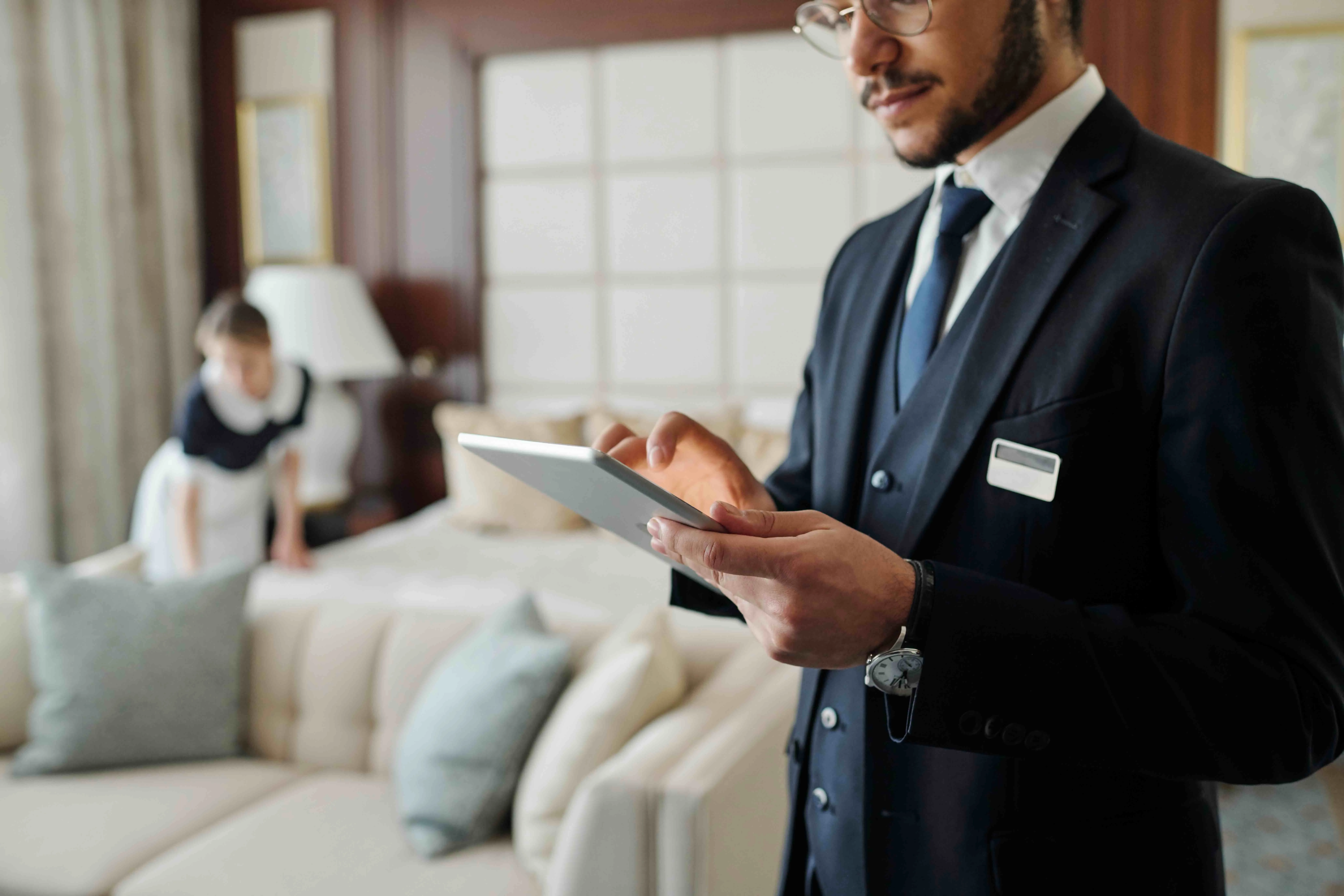
Forward scheduling assigns tasks based on tomorrow’s expected departures rather than only today’s current state. This capability allows a manager to staff the next shift against actual projected workload instead of reacting on the day, which directly supports labor cost control.
PMS integration at no extra cost. Stayntouch connects to housekeeping and facilities management platforms including Amadeus HotSOS, Knowcross by Unifocus, Optii, Breezeway, hotelkit, Nuvola, Operto, and Snapfix across its library of 1,400+ integrations. Stayntouch charges nothing for the integration connection itself, and each third-party platform carries its own platform fee. The mobile app configuration should be completed before go-live, with attendants trained on the status update flow, dirty, cleaning in progress, clean, inspect, ready, so that every tap in the field produces an instant PMS update visible at the front desk.
Integration between PMS and housekeeping mobile apps creates a real-time loop where attendants marking rooms clean instantly updates PMS status to vacant-ready, cutting the vacant-dirty window by 15 or more minutes compared to walkie-talkie or end-of-shift entry methods.
Step 4: Build Inspection and Maintenance Loops
Cleaning completion does not equal room readiness. A room marked clean by an attendant must pass supervisor inspection before the front desk can assign it to an arriving guest, and automating this loop removes the phone call, the floor walk, and the delay.
The inspection workflow operates as follows. When an attendant marks a room clean in the mobile app, the system automatically creates an inspection task and routes it to the floor supervisor. The supervisor inspects the room and either approves it, which advances status to Inspected and then Ready, or fails it, which returns the room to Dirty and triggers a re-clean assignment. Front office may assign only inspected rooms, and reception must not release or assign any room that has not been inspected and approved.
Photo verification adds a documented record to the inspection loop. Attendants or supervisors capture images of completed rooms, which attach to the task record and provide evidence for quality disputes or training reviews. Housekeeping task completion in automated hotel workflows requires staff to send photo confirmation, which adds verification before the task can be closed.
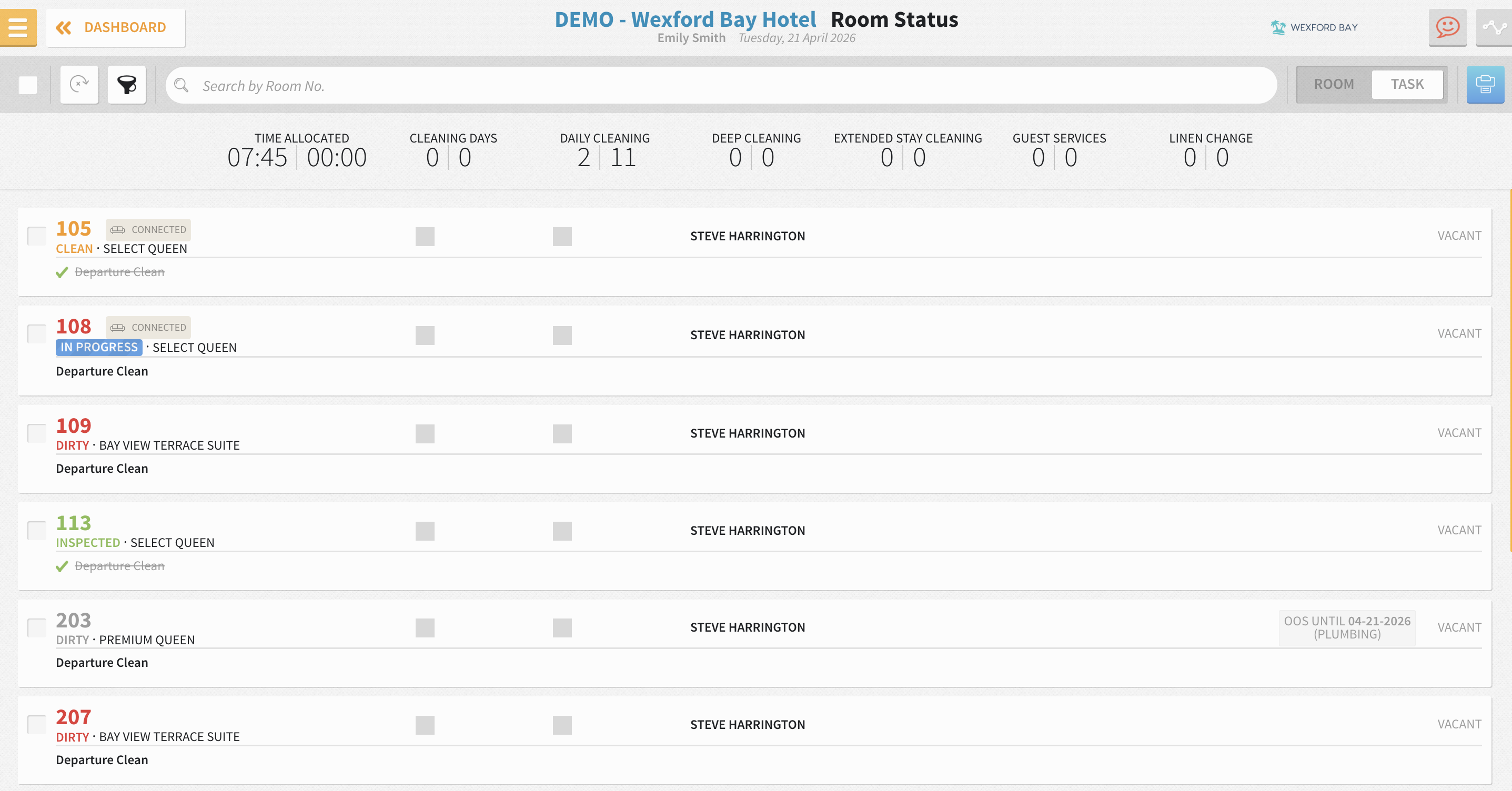
Automatic maintenance routing manages defects discovered during cleaning. When an attendant flags a broken fixture or faulty lock via the mobile app, the system creates a maintenance ticket, routes it to the relevant team, and blocks the room from new assignments until the ticket is resolved. This blocks the room from new assignments and creates a persistent documented record of the issue until resolved.
Common challenges at this stage include data lag from poor mobile connectivity on upper floors, staff resistance to photo requirements, and integration friction between the housekeeping app and the PMS. Address data lag with offline sync capability in the mobile app. Address staff resistance by framing photo verification as protection for the attendant, a timestamped record that a room was left in good condition. Address integration friction by testing the full status-update loop, from attendant tap to front-desk dashboard, before go-live, not after.
Labor-rule compliance requires separate attention in unionized properties. In unionized markets, automation requirements focus on reducing physical strain rather than intensifying pace, so workload balancing rules should distribute difficult rooms equitably across the team instead of concentrating them on the fastest attendants.
Step 5: Sync Front-Desk Visibility and Set KPIs
The front desk can only act on information it can see. Once the mobile execution and inspection loops run reliably, the PMS dashboard becomes the single source of operational truth for every department.
In Stayntouch PMS, room status updates propagate instantly across the system. The front desk sees a room become available the moment it is inspected, and no confirmation call to housekeeping is required. The live dashboard displays every room’s current status, the attendant assigned, and the time elapsed since the task was created. Managers can filter by zone, status, or priority to identify bottlenecks in real time.
The standard room-status flow in an automated system runs as follows: Occupied → Checkout Confirmed → Dirty, task created → Cleaning In Progress, attendant starts → Clean, attendant completes → Inspect, supervisor reviews → Inspected/Ready, front desk assigns. Any deviation, such as a maintenance flag, inspection failure, or SLA breach, routes to the appropriate exception handler defined in Step 2.
Four KPIs measure the success of the automated workflow.
-
Average room-ready time. Measure the elapsed time from guest checkout to room status reaching Inspected/Ready. A practical internal benchmark is reducing from an average of 35 minutes to a target of 28 minutes, calibrated to the property’s staffing levels and room count.
-
Supervisor administrative hours saved. Track hours previously spent on floor walks, radio coordination, and manual board updates, and compare them against the post-automation baseline.
-
Guest wait-time reduction. Measure the percentage decrease in lobby wait time for arriving guests, using front-desk logs or guest satisfaction scores.
-
Adoption rate. Track the percentage of room status updates completed via the mobile app versus legacy methods. Metrics only reflect the portion of volume flowing through the automated system, so adoption rate must be strong for all other KPIs to be meaningful.
Early-warning signs that the workflow is degrading include a rising gap between checkout time and task creation, which indicates the PMS trigger is not firing, increasing SLA breach rates, which indicate staffing or routing problems, and declining adoption rates, which indicate staff are reverting to radio or paper. Each signal has a direct fix: audit the PMS integration, review zone assignments, or schedule a refresher training session.
Step 6: Train Teams and Roll Out the New Workflow
Technology configuration without staff adoption produces no operational gain. The rollout plan must treat training as a parallel workstream and not an afterthought.
Stayntouch full platform training, which covers all modules including housekeeping, front desk, night audit, finance, and revenue management, takes two days. Role-based learning paths in Stayntouch Academy ensure that housekeeping attendants train only on the mobile status update flow and task management screens, while supervisors train on inspection workflows, escalation rules, and the live dashboard. Front desk agents train on the room-status view and the assignment workflow, so no role sits through training that does not apply to daily work.
The two-day rollout sequence for housekeeping automation specifically follows this structure.
-
Day 1: System configuration and supervisor training. Confirm all seven automation triggers are active and tested. Train floor supervisors on the inspection workflow, photo verification, and escalation rules. Run a full simulation using test reservations to verify that every status change propagates correctly from mobile app to PMS dashboard.
-
Day 2: Attendant training and live go-live. Train room attendants on the mobile app, including how to accept a task, update status at each stage, flag a maintenance issue, and submit photo verification. Go live on a single floor or zone before expanding to the full property.
Change management is the most commonly underestimated element of a housekeeping automation rollout. Staff who have used paper and radio for years will default to familiar methods under pressure. Designate a Property Champion, a senior housekeeping team member who has completed full platform training, to reinforce the new workflow on the floor during the first two weeks. Address resistance by demonstrating the personal benefit, including fewer missed assignments, fewer urgent calls, and a documented record that protects the attendant if a room condition is disputed.
Step 7: Measure Results and Iterate Across Properties
Automation gains erode over time if the process is not actively maintained. Accumulating exceptions, edge cases, and manual workarounds quietly undermine automated workflows unless organizations standardize the improved process and schedule remeasurement to detect and reverse declines early.
The measurement cadence for hotel housekeeping workflow automation follows a four-stage framework.
-
Weeks 1–2 post-go-live. Review adoption rate and SLA breach rate daily. Identify any trigger that is not firing correctly and resolve integration issues before they become habits.
-
Weeks 3–8. Audit the four KPIs weekly against the pre-automation baseline. Flag any KPI moving in the wrong direction and trace it to a specific step in the workflow.
-
60–90 days post-go-live. Conduct a full impact evaluation. Compare average room-ready time, supervisor hours, guest wait time, and adoption rate against the documented baseline from Step 1. This is the point at which the 25% housekeeping productivity increase, documented in Stayntouch customer data, becomes measurable.
-
Quarterly thereafter. Refine automation trigger rules based on occupancy patterns. A hotel running 95% occupancy in summer and 55% in winter needs different SLA thresholds and zone configurations for each period. Adjust forward scheduling parameters to match the actual arrival mix rather than a static assumption.
For multi-property groups, the iteration phase is also the point at which portfolio scaling becomes possible. Once the workflow is validated at one property, the configuration, including trigger rules, zone assignments, inspection thresholds, and SLA timers, can be pushed to every property in the group from a single login via Stayntouch’s multi-property dashboard. According to Stayntouch customer data, multi-property management runs portfolios 70% more efficiently when configuration is centralized and pushed down rather than rebuilt property by property.
The productivity gains established at the 60–90 day mark are the compounded result of all seven steps, including eliminating manual handoffs, routing tasks by zone, automating inspection loops, giving the front desk live visibility, training staff in two days, and measuring weekly.
Frequently Asked Questions
How long does it take to implement automated housekeeping workflows in a hotel?
For a single property, the full implementation, from PMS configuration through staff training and go-live, typically runs within a structured six-week process. The housekeeping automation components specifically, including mobile app configuration, trigger rule setup, and attendant training, can be operational within the first two weeks of that process. Stayntouch’s Auto-Configuration tool reduces property setup from approximately 30 hours of manual work to 4–5 hours, which accelerates the overall timeline. For multi-property groups, full portfolio deployment runs 30–45 days.
Does the two-day full platform training cover housekeeping staff specifically?
Yes. Stayntouch Academy uses role-based learning paths, so housekeeping attendants train on the mobile status update flow and task management screens relevant to their daily work, while supervisors train on inspection workflows, escalation rules, and the live dashboard. The two-day full platform training covers all modules across all roles. Attendants do not sit through front desk or revenue management training, and front desk agents do not sit through housekeeping supervisor training. This role-specific approach is particularly valuable in hotels with high staff turnover, where the training clock resets frequently.
What happens to rooms flagged for maintenance during the automated workflow?
When an attendant flags a defect via the mobile app, the system automatically creates a maintenance ticket, routes it to the maintenance team, and blocks the room from new guest assignments. The room is held as out of service (OOS), temporarily withheld from inventory, until the maintenance ticket is resolved and a supervisor re-inspects and approves the room. This creates a documented record of the issue, the time it was reported, who was assigned, and when it was resolved, which supports both operational accountability and guest protection.
Can Stayntouch integrate with the housekeeping management platform we already use?
Yes. Stayntouch supports the major housekeeping and facilities management platforms mentioned in Step 3, plus hundreds of others across its 1,400+ integration library. Stayntouch charges nothing for the integration connection itself, and each third-party platform carries its own platform fee. For properties that prefer to manage housekeeping entirely within the PMS, Stayntouch’s native mobile housekeeping module handles task assignment, status updates, zone management, and forward scheduling without requiring a separate platform.
How do we measure whether the automation is actually working?
The four primary KPIs for housekeeping workflow automation are average room-ready time, measured from checkout to Inspected/Ready status, supervisor administrative hours saved, guest wait-time reduction, and mobile app adoption rate. Before go-live, document the baseline for each metric using historical logs, shift records, and guest satisfaction data. At 60–90 days post-implementation, compare against that baseline. Stayntouch’s live dashboard and 360° reporting tools allow managers to track room-ready time, task completion rates, and SLA breach frequency in real time, with scheduled reports delivered automatically by email or cloud drive without manual assembly.
Conclusion: Turn Housekeeping into a Competitive Advantage
Manual housekeeping processes that rely on paper boards, radio handoffs, and floor walks are not just inefficient. They act as a structural constraint on room-turnaround speed, labor cost control, and guest satisfaction. The seven-step sequence in this guide replaces that constraint with a system that acts on events rather than waiting for instructions, so checkout triggers a task, VIP status triggers priority routing, a maintenance flag triggers a ticket, and an SLA breach triggers an escalation. Every status change becomes visible to every department in real time from any device.
The result, according to Stayntouch customer data, is a documented productivity increase achieved not through a single technology purchase but through the disciplined combination of mapped pain points, defined trigger rules, mobile execution, inspection loops, live front-desk visibility, role-based training, and weekly measurement.
Stayntouch PMS delivers this capability as part of a best-in-class, cloud-native platform built mobile-first, connected to 1,400+ integrations at no extra cost, and designed to train the full platform across all roles in two days. There are no per-integration fees for connecting your preferred housekeeping management platform, no downtime for system upgrades, and 24/7/365 support from hospitality specialists, not a chatbot, included for every customer regardless of property size.
Read Next
Turn a more connected stack into a better stay.
See how Stayntouch can support the operating moments that matter most to your hotel team.